
Maintaining a student and staff list by hand is not realistic for a school. Wonde bridges your MIS to MassComs so the register maintains itself, which turns the register from a project into a background process.
Before you start
Have these ready.
- A Wonde account with MassComs authorised against your school.
- Your Wonde School ID.
- The admin.orgSettings permission.
- 01
Get your Wonde School ID
The Wonde School ID identifies your school to the integration. It has a distinctive format beginning with A followed by a long numeric identifier.
- 02
Configure the integration
Open Integrations and configure Wonde MIS Integration. It needs two values, not one — the School ID and an API token.
The dialog states what the connection is: Wonde reaches your school MIS — SIMS, Arbor, Bromcom, iSAMS and others — over a secure read-only API. MassComs cannot write back to your MIS, which is the right shape for a safety system.
Field or control What it does Wonde School ID Identifies your school within Wonde — format A0000000000. Found in the Wonde portal under your school record. API Token The bearer token from the Wonde portal. Treat it as a secret. 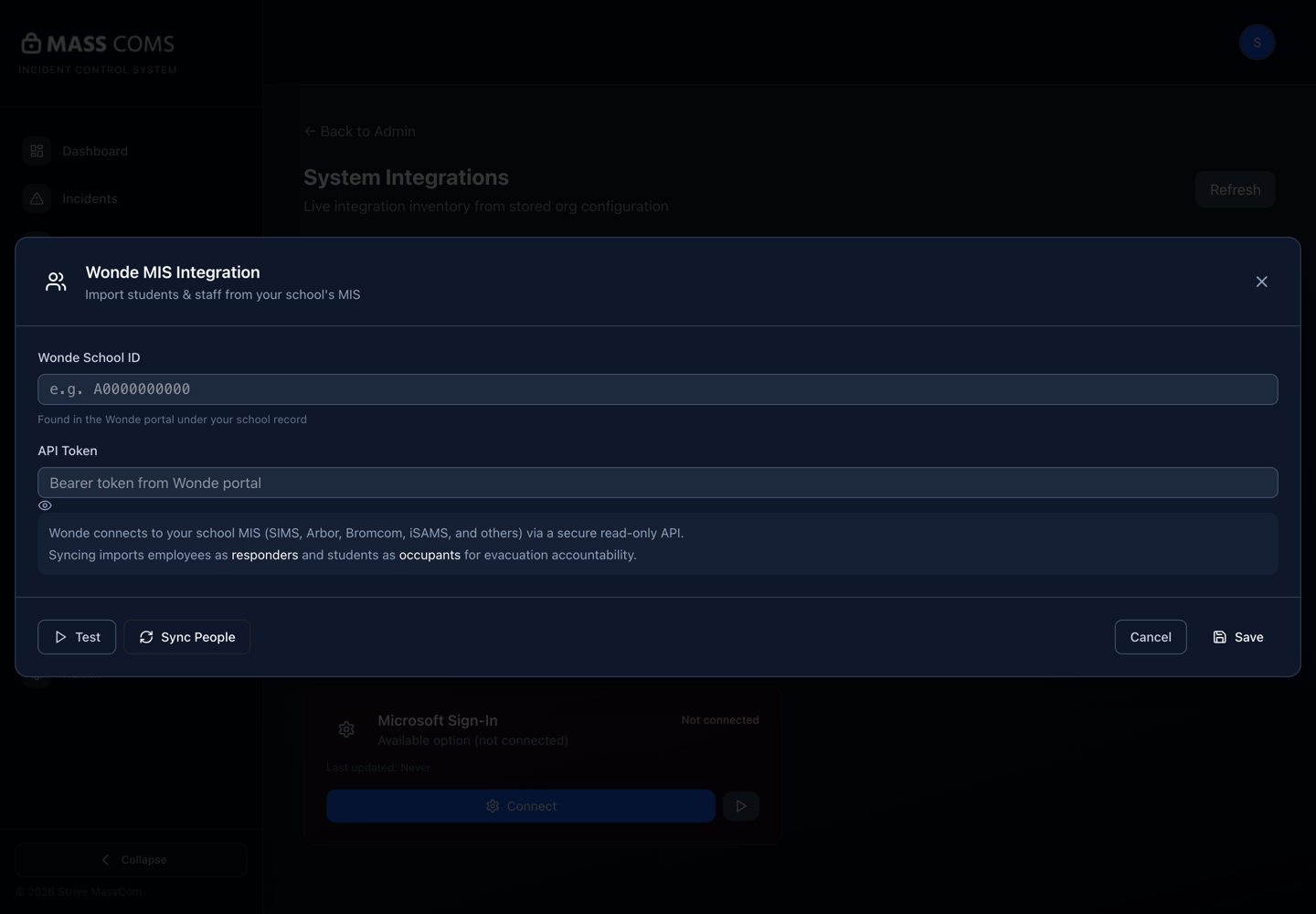
Wonde MIS integrationMassComs Wonde MIS Integration dialog showing the School ID and API Token fields. - 03
Test the connection before syncing
Test first. A failed test now is a configuration problem; a failed sync later is a configuration problem plus a partially imported register.
Confirm it workedThe test succeeds before you run Sync People.
- 04
Run the first sync
Use Sync People to bring records in. The integration reports progress and completion, and imported records are marked as coming from the MIS.
The mapping is fixed and worth knowing: employees import as responders, students as occupants, explicitly for evacuation accountability. The interface distinguishes records imported and kept in sync from those added by hand, which is what stops the two sources fighting.
- 05
Reconcile against hand-entered records
If you had already entered people by hand, the first sync will surface duplicates. Remove the hand-entered versions and let the MIS record be authoritative.
Do not keep both. A duplicate person is a person who appears twice on a roll call and can be marked safe as one record while missing as the other.
- 06
Know what the sync does not do
The sync brings people. It does not bring your emergency structure, and it does not know who your responders are.
- Class assignments may need reviewing after the first sync.
- Every employee arrives as a responder. That is rarely what you want — review the responder list and demote the people who have no emergency role, or it stops meaning anything.
- Consent for contact channels is not an MIS field — collect it separately.
- Contractors, governors and visitors are not in the MIS and stay hand-entered.
- MassComs user accounts and roles are separate from this. The sync populates the register, not who can sign in.
- 07
Confirm the sync keeps running
A configured integration is not the same as a running one. Check that the register reflects recent starters and leavers a few weeks after setup.
Confirm it workedA person who joined since the first sync appears in the register without anyone adding them.
Troubleshooting
When it does not go to plan.
| Symptom | Usual cause | Fix |
|---|---|---|
| The connection test fails. | Wrong School ID, or MassComs is not authorised against the school in Wonde. | Check both. Authorisation is done in Wonde, not in MassComs. |
| Sync completes but fewer people than expected. | The MIS scope authorised in Wonde is narrower than the whole school. | Widen the authorised scope in Wonde and re-sync. |
| Leavers still appear. | The sync has not run since they left, or they are hand-entered duplicates. | Check the sync status, then check for a hand-entered record of the same person. |
Good to know
Small details that prevent big confusion.
- Other MIS providers can be configured through the general School MIS Integration with an API base URL and school identifier.
- The MIS is authoritative for who exists. MassComs is authoritative for what they do in an emergency.
- A sync that silently stops looks exactly like a school with no new starters. Check it periodically.
Was this guide clear?