
MassComs has to be built in order. A zone cannot exist without a site, a route cannot be drawn without a floorplan, and an incident cannot reach anyone until devices are enrolled and a scenario is approved. Work through the three first-steps guides in the order below and each one hands the next the thing it needs.
Before you start
Have these ready.
- A Super Admin or Safety Officer sign-in for your organisation.
- The current approved floorplan for at least one building, as an image or PDF.
- Your organisation's real evacuation procedure — MassComs distributes it, it does not write it.
- A short window when a visible test will not alarm anyone who has not been told.
- 01
Understand what you are building
MassComs models your organisation as a hierarchy: Establishment → Site → Building → Floor → Room, with Zones layered across it as the unit an incident is actually targeted at. Everything downstream — signage takeover, mobile exit routes, Agent overlays, roll call — resolves a person or a device to a room, then the room to a zone.
This is why the order matters. If you skip the structure and go straight to triggering, the alert has nowhere to land: devices have no room, rooms have no zone, and the incident cannot narrow its scope below the whole organisation.
- Establishment — the top-level organisation record (a school, college, university or business).
- Site — a physical campus or address.
- Building — one structure on that site.
- Floor — one level of that building, and the thing a floorplan is attached to.
- Room — the smallest unit; devices and people resolve to a room.
- Zone — a response grouping across rooms, and the target of an incident.
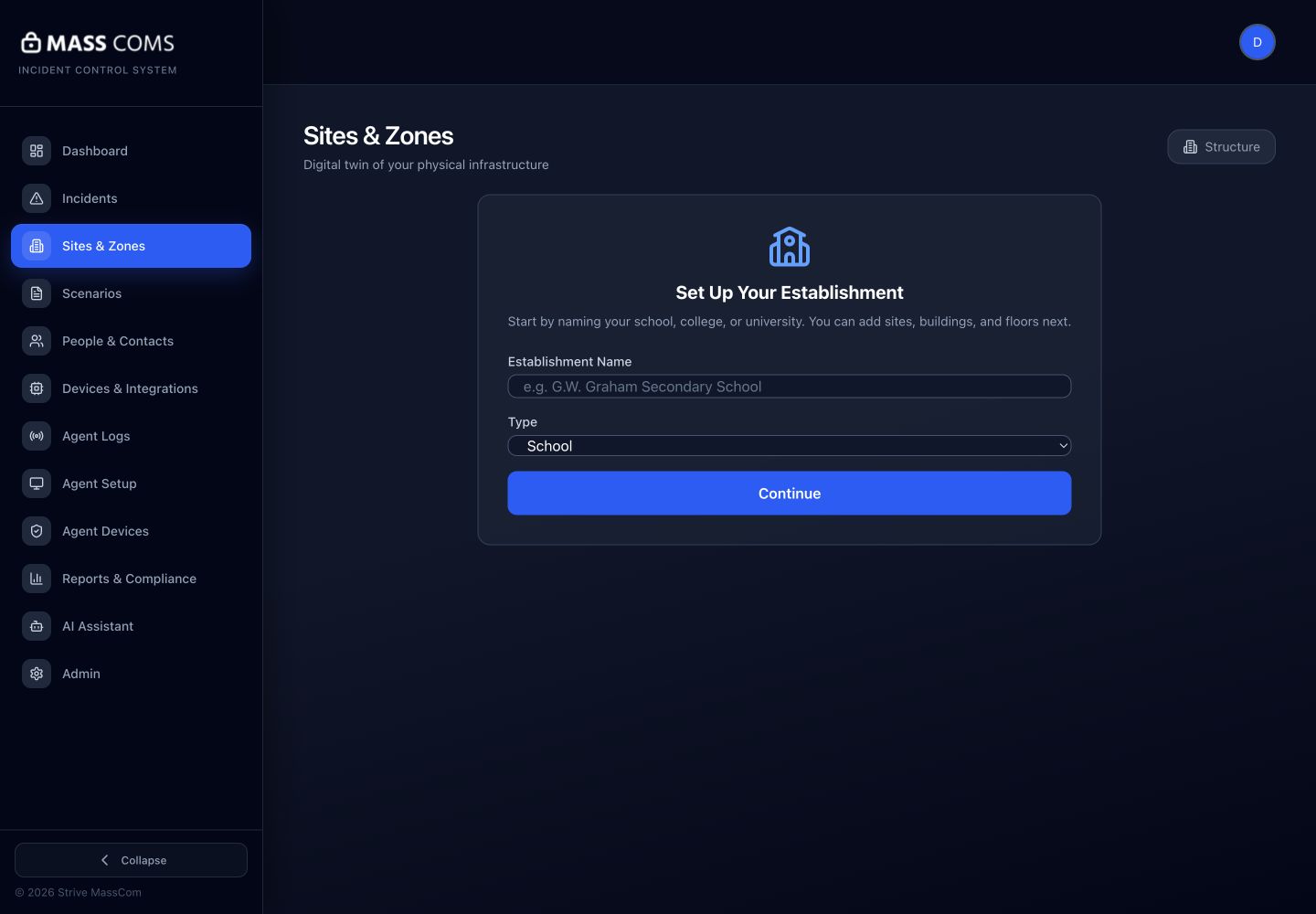
Sites and establishment setupMassComs Sites screen showing the establishment setup with site, building and floor hierarchy. - 02
Step one — create your first site
Open Sites and complete Set Up Your Establishment, then add a site, at least one building and at least one floor. You need a floor record before you can attach a floorplan to it, so do not stop at the site.
Follow the full guide: Create your first site. It covers the establishment types, address handling and the zone structure decisions that are painful to change later.
- 03
Step two — build your first floorplan
Upload the plan for that floor, trace the rooms, correct what the trace got wrong, add doors, exits and an assembly point, and bind the rooms to zones. Do not treat the traced output as finished until a person who knows the building has looked at it.
Follow the full guide: Build your first floorplan.
A neat line on screen is not proof that a route is walkable. Every route MassComs shows to a person on their phone, on signage or on an Agent overlay comes from this geometry.
- 04
Step three — run your first incident
Enroll at least one receiving device, create and approve a scenario, then trigger it as the TEST incident type. TEST exercises the whole delivery path — sockets, notifications, signage takeover, Agent overlays — and is recorded as a drill rather than a real event.
Only after a TEST has been delivered, acknowledged and resolved cleanly should you consider the organisation ready for a real activation.
Follow the full guide: Run your first incident.
- 05
Then widen out
With one verified floor working end to end, repeat the structure and floorplan work for the remaining buildings, add the rest of your people and devices, and move on to the areas that are not on the critical path: signage, visitor kiosks, integrations and compliance evidence.
- Add the remaining users and set their roles — see Understand user roles and permissions.
- Deploy Agents across the estate — see Deploy Agents at scale with Intune.
- Import people from your MIS — see Connect Wonde and sync people.
- Start the compliance record — see Meet Martyn's Law Standard Tier duties.
Good to know
Small details that prevent big confusion.
- You can create a site without a floorplan, but the exit-route features stay unavailable until a floor has a traced plan with exits.
- Nothing you build here is wasted if you later change the structure — but rooms that already have devices assigned are the expensive ones to move, so agree names before you enroll a fleet.
- TEST is a first-class incident type, not a hidden debug mode. Use it deliberately and it appears in drill records as evidence.
Was this guide clear?