
Sign-in failures have a small number of causes. Working through them in order is much faster than resetting things at random.
Before you start
Have these ready.
- The exact error text, if there is one.
- 01
Check you are using the right method
If your organisation uses Microsoft or Google SSO, use that button. An email and password created separately is a different account, and it will fail against an SSO-managed organisation.
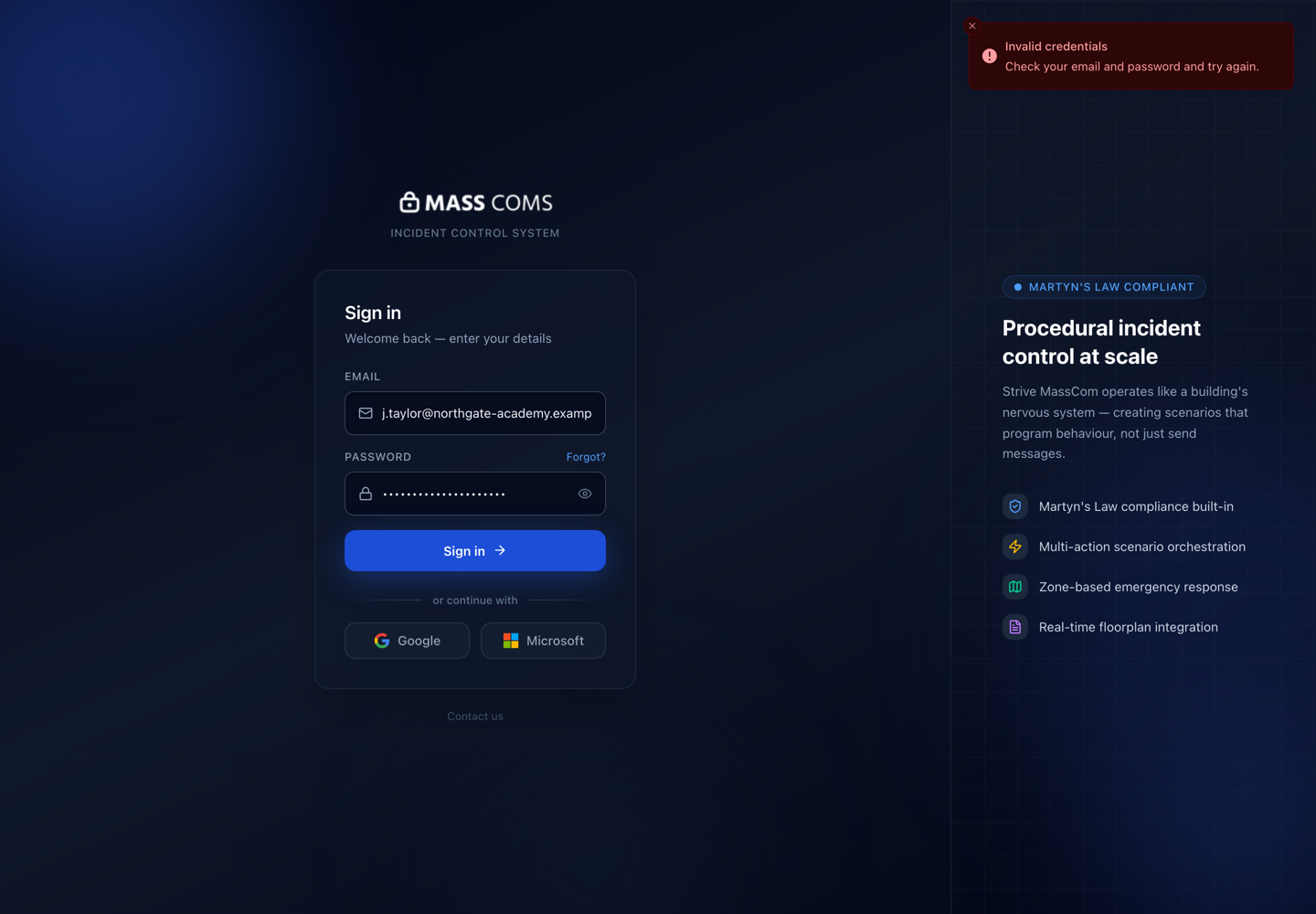
Sign-in errorMassComs sign-in page showing a failed sign-in attempt. - 02
Check you are on the right sign-in page
Some organisations use an organisation-specific sign-in path. A generic page may not resolve your tenant.
- 03
Check the account exists and is active
There is no self-registration. If nobody created or invited the account, there is nothing to sign in to. An account can also be suspended.
A wrong password and a non-existent account produce the same message on purpose. Do not infer existence from the error.
- 04
Check the organisation membership
An account that exists but is not an active member of the organisation will fail. This is common after someone moves between sites or organisations.
- 05
Reset the password if you use one
Use the password reset flow if your account is email and password. If your organisation uses SSO, password reset is not the answer — the credential lives with your identity provider.
- 06
For SSO failures, check the provider
Multi-factor prompts, conditional access and consent problems come from Microsoft or Google, not from MassComs. The error text usually says which.
For configuration problems, see Configure Microsoft SSO.
- 07
Escalate with detail
If none of the above resolves it, report the exact error text, the method used, the account address and the time of the attempt.
See Contact support with useful details.
Troubleshooting
When it does not go to plan.
| Symptom | Usual cause | Fix |
|---|---|---|
| Works on the dashboard, fails on mobile. | Different sign-in method used on the two devices. | Use the same method on both. Check which one the account was created with. |
| Everyone in the organisation cannot sign in. | An SSO configuration change, or an identity provider outage. | Check the identity provider first. A whole-organisation failure is rarely per-account. |
| Signed in, but the organisation is wrong. | The account belongs to more than one, or the wrong sign-in path was used. | Use the organisation-specific sign-in link. |
Good to know
Small details that prevent big confusion.
- The same message for wrong password and unknown account is deliberate — it stops the page confirming which addresses exist.
- SSO problems are usually identity provider problems. Read the error carefully to see which side it came from.
- One person failing is an account problem. Everyone failing is a configuration or provider problem.
Was this guide clear?