
People is a safety register, not a CRM. Everything about it is shaped by one question: if the building had to be emptied right now, who would we be looking for and how would we reach them?
Before you start
Have these ready.
- The people.manage permission.
- A decision about which records come from your MIS and which are entered by hand.
- 01
Understand the categories
People are held as occupants — the people who are in the building — and responders, the people with a role in an emergency. Teachers and class assignments support class-scoped roll call.
A person can be both. The distinction is about what the system does with them: occupants appear in roll call, responders receive responder-level information and are expected to act.
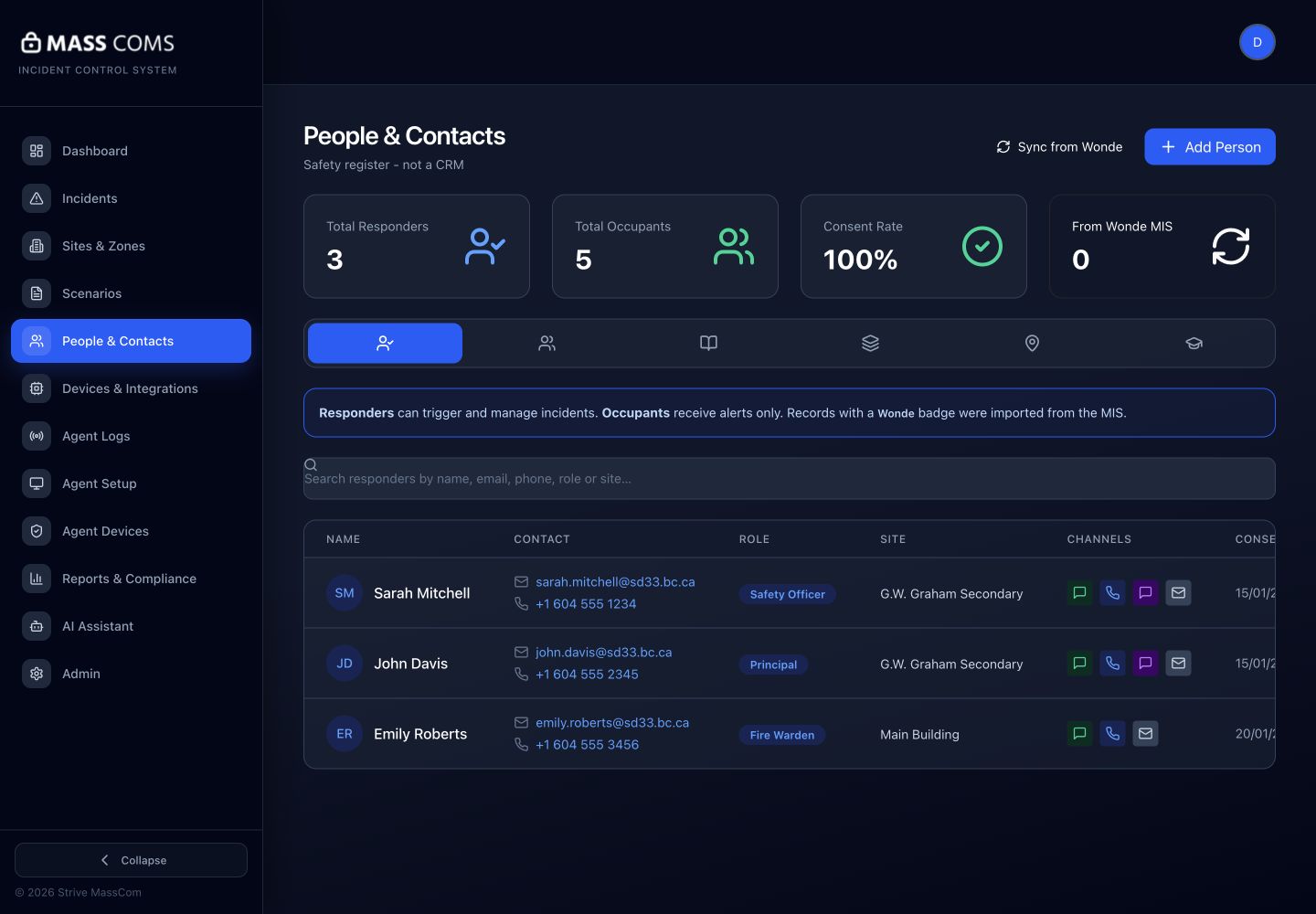
People and contactsMassComs People and Contacts screen showing responders and occupants. - 02
Decide the source for each group
Records either come from your MIS and stay in sync, or are added by hand and maintained by you. The interface distinguishes the two, and mixing them for the same population is how registers drift.
- Students and teaching staff — normally from the MIS.
- Contractors, governors, regular visitors — normally by hand.
- Responders — every MIS employee arrives as a responder automatically, so this list needs pruning rather than building.
See Connect Wonde and sync people for the MIS side.
- 03
Add responders deliberately
Responders are the people you will rely on. Keep the list short enough that everyone on it knows they are on it, and current enough that leavers are removed.
A responder list containing people who left is worse than a short one. It creates the appearance of coverage that does not exist.
- 04
Set up classes and groups
Class assignments enable class-scoped roll call on mobile — a teacher accounts for their own class rather than scrolling a whole-site list.
Confirm it workedA teacher signing in on mobile sees their classes rather than No classes found.
- 05
Record contact channels and consent
Each person's contact channels determine how they can be reached, and consent is tracked against them. The consent rate is visible in the register.
This matters practically as well as legally: an SMS channel with no consent recorded is a channel you cannot use, so a low consent rate is a coverage problem, not just a compliance one.
Email is a channel too. A contact only receives a scenario's Email channel, or a Recipients message sent by email, if email alerts are switched on for them in Add Person or Edit Person — a filled-in address alone is not opt-in.
See Manage consent and notification channels.
- 06
Keep it current
Set a schedule for reviewing the register. A safety register that is a year old is a list of who used to work here.
- MIS-sourced records: confirm the sync is running, not just configured.
- Hand-entered records: review termly, or whenever your starters and leavers process runs.
- Responders: review whenever roles change.
Troubleshooting
When it does not go to plan.
| Symptom | Usual cause | Fix |
|---|---|---|
| A person is missing from roll call. | They are not in the register, or not in the scope being called. | Add them, or check their site scope and class assignment. |
| Duplicate records for one person. | Hand-entered and then imported from the MIS. | Remove the hand-entered duplicate and let the MIS record be authoritative for that person. |
| Consent rate is low. | Consent was never collected for imported records. | Run a consent collection exercise. Until then, those channels are unavailable for those people. |
Good to know
Small details that prevent big confusion.
- It is a safety register, not a contact database. Resist the pressure to make it hold everything.
- Every name that is wrong here becomes a wrong name on a search list during an evacuation.
- Class assignments are what make roll call practical at scale. Without them, teachers scroll.
Was this guide clear?