
These are the settings that apply to everything and are therefore set once and forgotten. Worth reviewing deliberately, because a wrong value here is wrong everywhere.
Before you start
Have these ready.
- The admin.orgSettings permission — held by Super Admin.
- 01
Open the administration area
Admin describes itself as system configuration, rarely visited, and warns that changes made there affect the entire system. It holds Martyn's Law compliance, voice announcements, integrations, alert language, the floorplan builder, assembly points, roles and permissions, message templates, organisation settings, data retention and risk assessment.
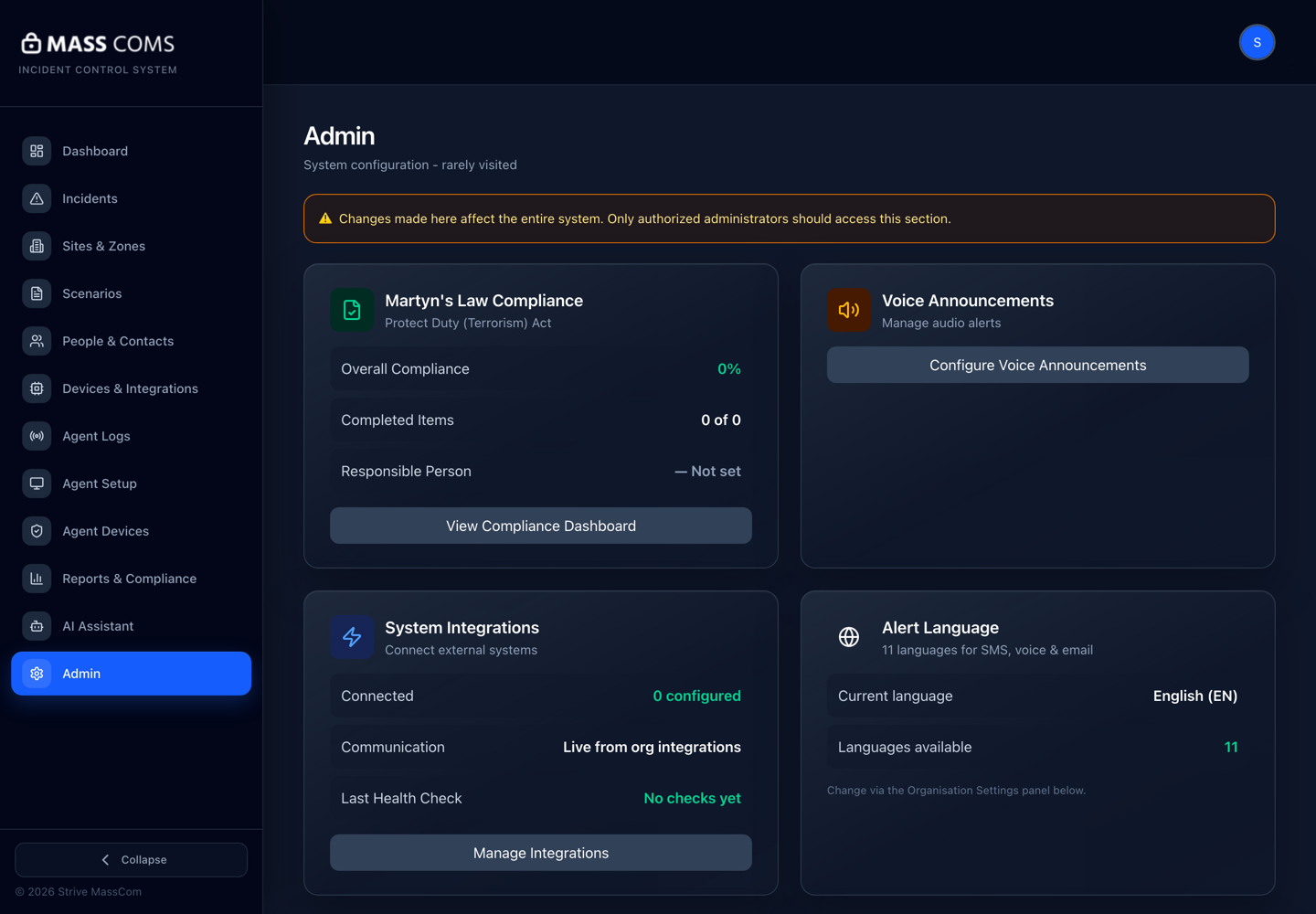
Admin overviewMassComs Admin screen showing compliance, voice announcements, integrations, alert language, floorplan builder and assembly point panels. - 02
Set the default notification language
Alert Language covers SMS, voice and email, with 11 languages available. The current language is shown on the Admin overview and changed in the organisation settings panel.
In a multilingual community this is worth more thought than it usually gets. The language of an emergency instruction is the language it is understood in.
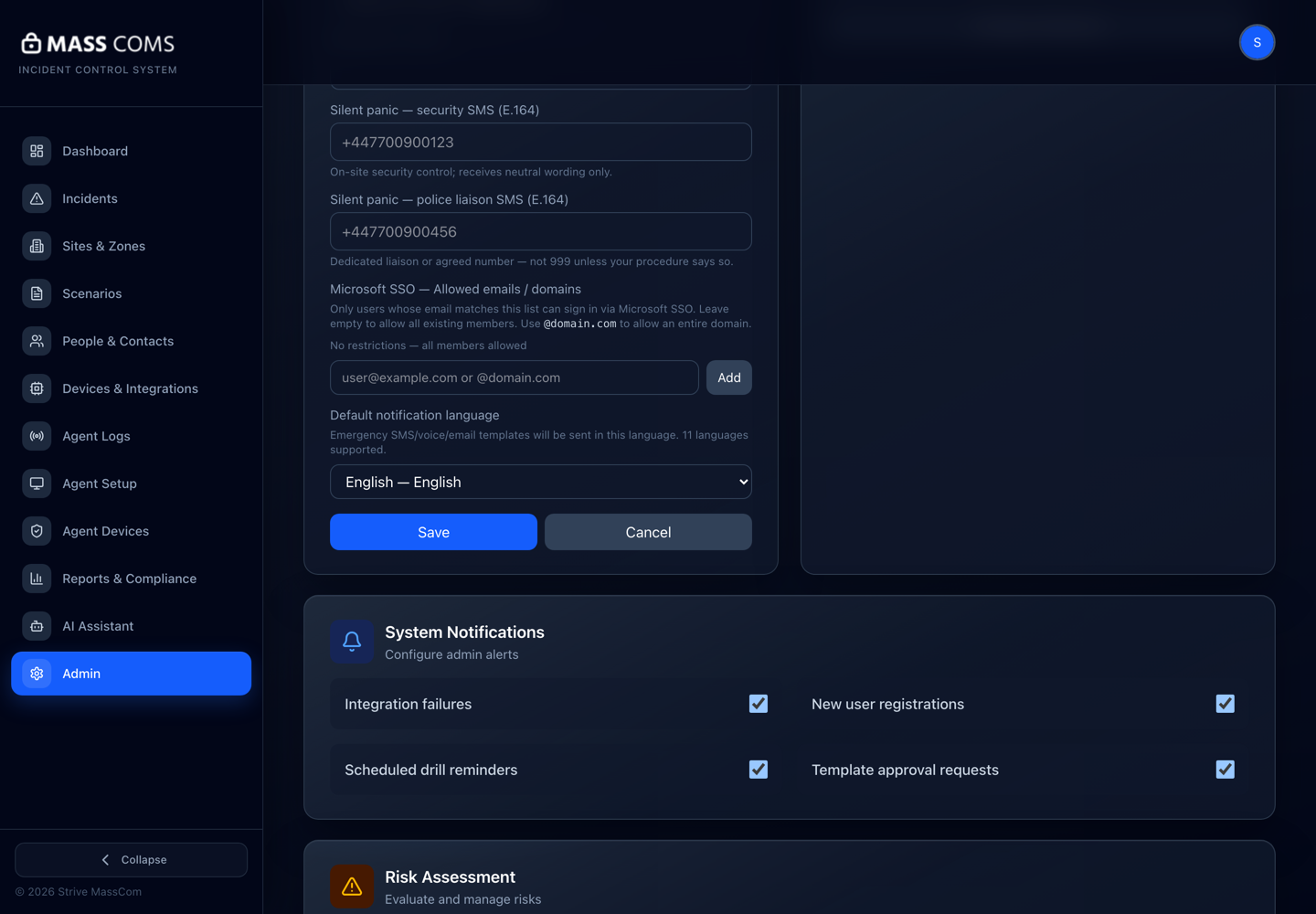
Organisation settingsMassComs organisation settings panel. - 03
Set the data retention policy
Retention governs how long records are kept. Set it against your organisation's data protection position and your evidence needs — these can pull in different directions.
Retention that is too short can destroy evidence you are required to hold. Decide it with whoever owns data protection.
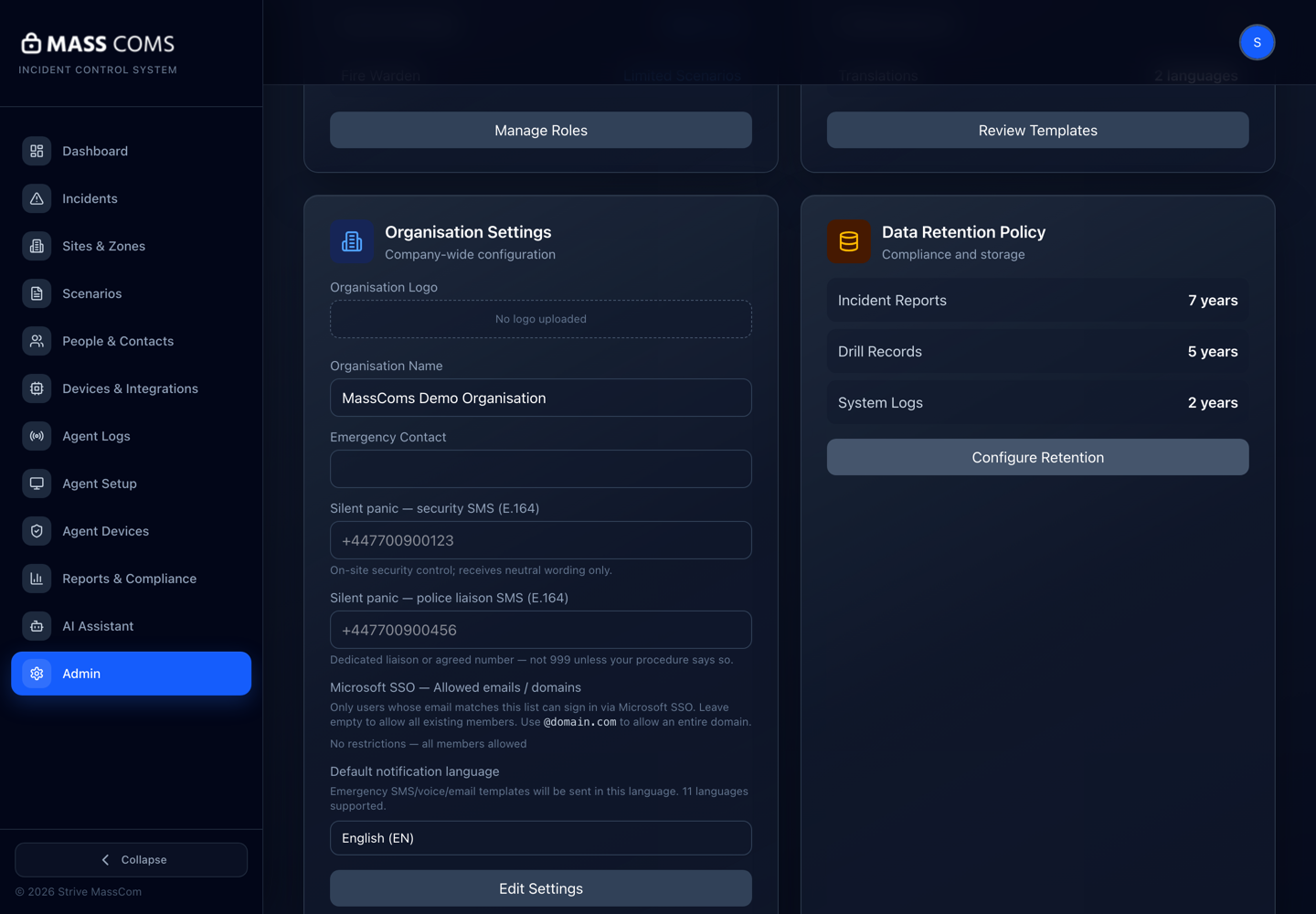
Data retentionMassComs data retention policy configuration. - 04
Record the emergency contact
Set the organisation's emergency contact details. These are used where an external party needs a route to a responsible person.
- 05
Set the silent panic numbers
Silent panic notifies configured security and police numbers by SMS. Without them, a silent alert has no destination.
Test these with the recipients' knowledge. An untested silent panic path is an untested safety feature.
- 06
Control who can trigger
Admin includes controls over who can trigger incidents and who approves emergency messages. Review both alongside the role assignments.
See Understand user roles and permissions.
- 07
Review the integrations inventory
Admin surfaces connected external systems with a live count and the last health check. Review what is connected, what is configured but silent, and what is available and unconfigured.
See Connect on-site systems with the controller.
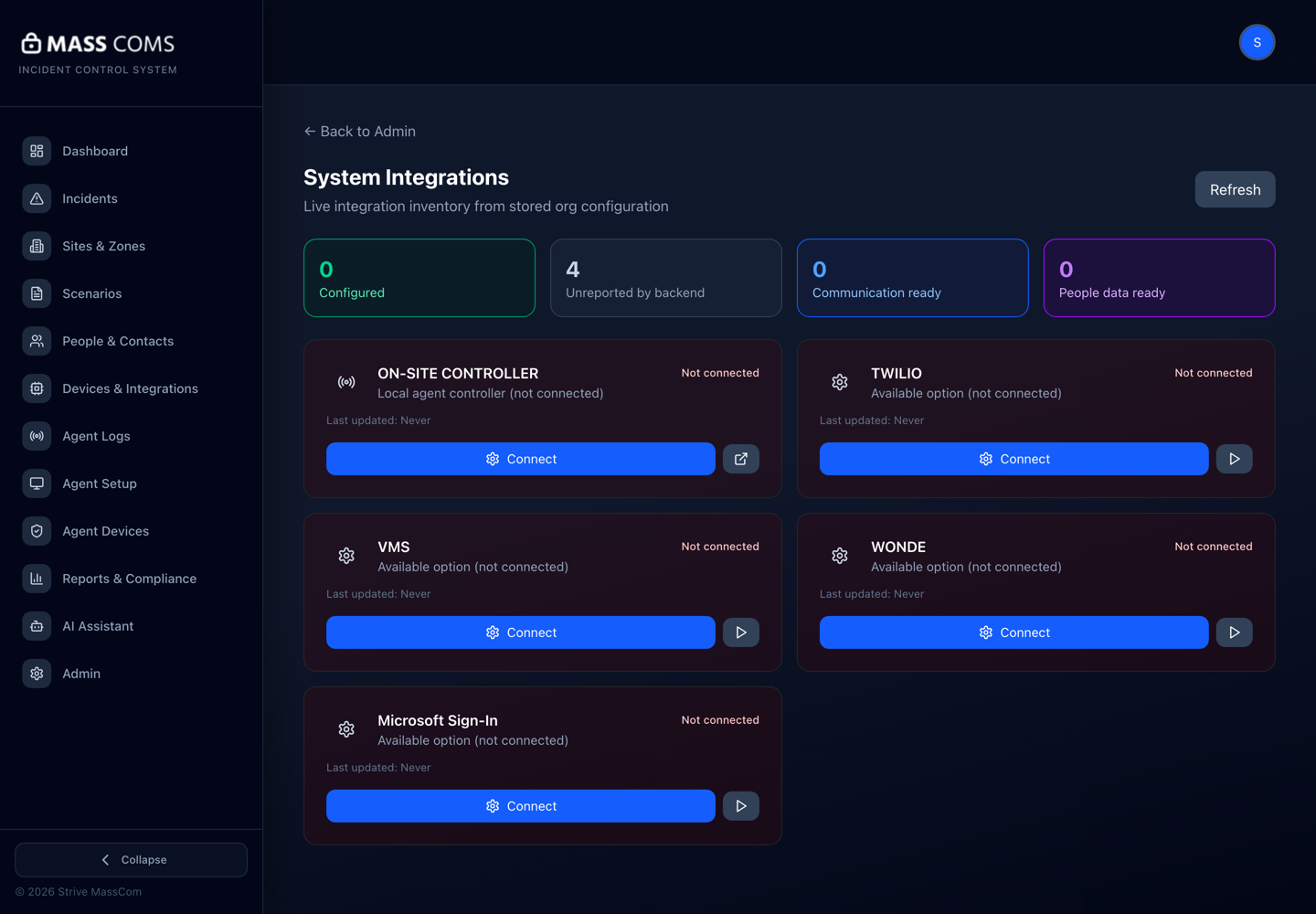
System integrationsMassComs system integrations screen showing the live integration inventory. - 08
Review these settings periodically
Put a calendar reminder on it. Nobody notices a wrong retention setting or a stale emergency contact until it matters.
Confirm it workedEvery value on this page is one you can justify, and the emergency and silent panic numbers reach a person who is expecting them.
Troubleshooting
When it does not go to plan.
| Symptom | Usual cause | Fix |
|---|---|---|
| Admin is not in the navigation. | The role lacks admin.access or admin.orgSettings. | Only Super Admin holds admin.orgSettings. Several roles hold admin.access without it. |
| Silent panic produced no SMS. | Numbers not configured, or no SMS provider. | Set the numbers here and configure the provider — see Connect SMS and voice with Twilio. |
Good to know
Small details that prevent big confusion.
- These settings apply everywhere, which makes them both powerful and easy to forget.
- Retention is a genuine tension between privacy and evidence. Make the decision explicitly.
- The emergency contact is only useful if the person named knows they are named.
Was this guide clear?