
SMS is the lowest common denominator: it reaches an old phone, a phone with no app installed, and a person who never signed in. The same integration carries voice and WhatsApp, and it is the channel silent panic depends on.
Before you start
Have these ready.
- A Twilio account with a sending number.
- The admin.orgSettings permission.
- A phone you can receive a test message on.
- 01
Configure the provider
Open Integrations and configure the SMS and voice provider with your Twilio account credentials.
Field or control What it does Account SID Your Twilio account identifier, beginning AC. Auth Token The account credential. Treat it as a secret — credentials are stored encrypted per organisation. Twilio Phone Number In E.164 format, for example +441234567890. It must support both SMS and voice — check its capabilities in the Twilio Console before saving. A number that only supports SMS will configure cleanly and then fail silently the first time a scenario tries a voice call. Check capabilities, do not assume them.
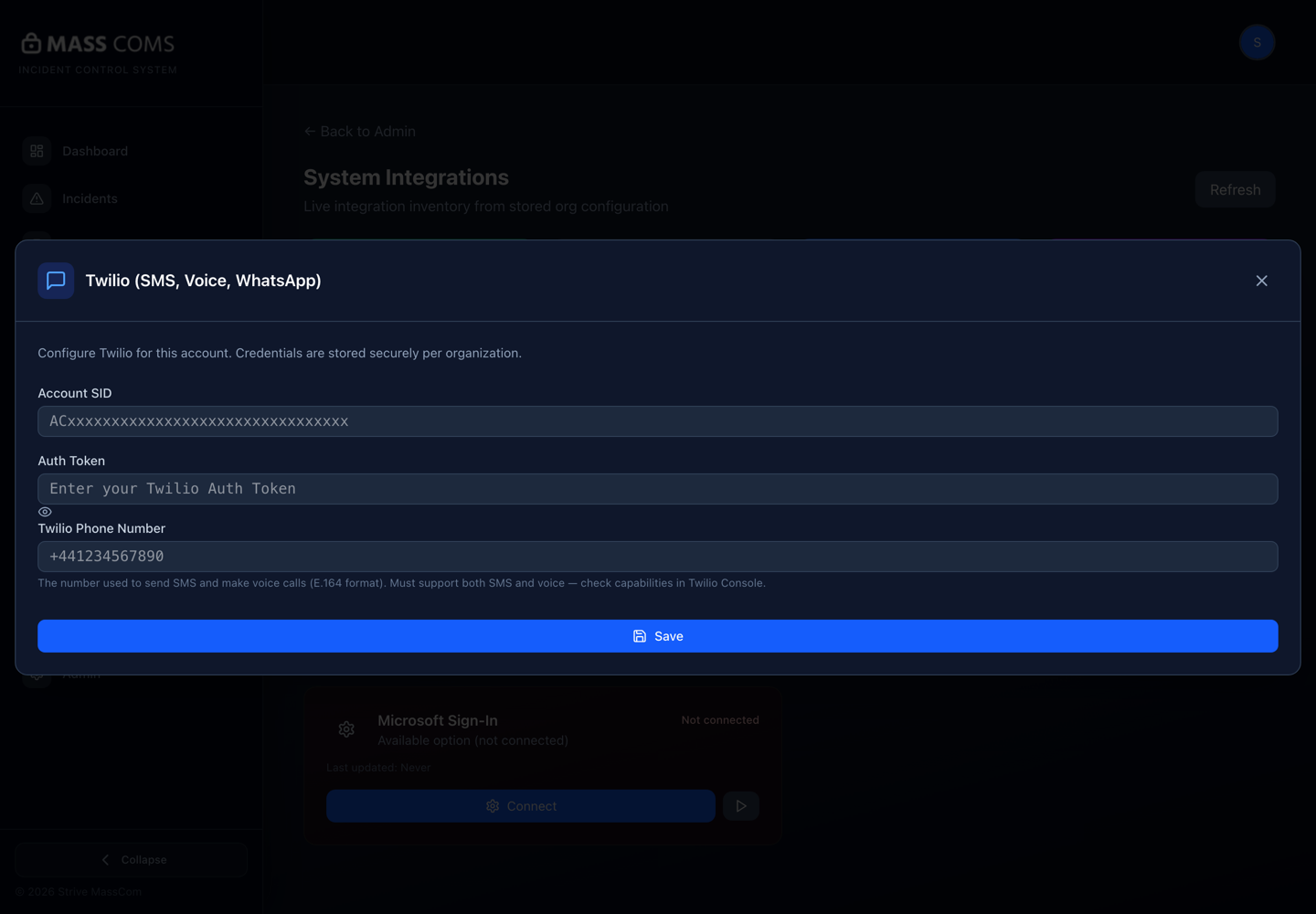
Twilio configurationMassComs Twilio dialog showing Account SID, Auth Token and Twilio Phone Number fields. - 02
Send a real test
The configuration screen lets you enter a phone number to receive a test SMS or voice call. Use a real phone and read what arrives.
Confirm it workedThe message arrives, is legible, and comes from a number that does not look like spam.
- 03
Enable the SMS channel on scenarios
SMS reaches people only where a scenario has the channel enabled. Enabling the provider does not automatically add the channel to existing scenarios.
This is a common gap: SMS is configured, tested and never used, because no scenario turned the channel on.
- 04
Use approved message templates
Pre-approved SMS and WhatsApp templates are safer than free text at activation. Approve the wording once, reuse it many times.
See Approve scenarios and message templates.
- 05
Configure the silent panic numbers
Silent panic notifies configured security and police numbers by SMS. Set those numbers in organisation settings, and agree with the recipients what they will do.
Silent panic with no configured numbers produces an alert with no destination. Configure and test it before relying on it.
- 06
Check consent
SMS can only be sent to people whose contact channel and consent are recorded. A low consent rate is a coverage gap.
See Manage consent and notification channels.
Troubleshooting
When it does not go to plan.
| Symptom | Usual cause | Fix |
|---|---|---|
| Test message never arrives. | Credentials, sending number, or a carrier block. | Check the Twilio console for the message status — it will say whether it left Twilio. |
| SMS works in the test but not in an incident. | The scenario does not have the SMS channel enabled. | Enable it on the scenario and re-test with a TEST-type incident. |
| Some recipients get nothing. | No mobile number, or no recorded consent. | Check the person's contact channels and consent in the register. |
Good to know
Small details that prevent big confusion.
- SMS is the channel that reaches people the app cannot. It is worth the setup cost for that alone.
- Test with a real phone. A provider dashboard saying delivered is not the same as a person reading it.
- Silent panic depends on this channel for delivery. Without it the alert is still raised and audited, but nobody is texted.
Was this guide clear?