
A drill is worth running only if it tests something. This guide is the pre-flight list that stops your drill turning into a debugging session in front of the whole site.
MassComs supports your organisation’s safety plan. It does not replace authorised instructions, trained judgement or emergency services.
Before you start
Have these ready.
- A date, time and scope agreed with whoever is accountable for the site.
- Everyone in scope told in advance, including contractors and visitors expected that day.
- An approved scenario for the incident type you intend to use.
- 01
Confirm the response plan says what you want people to do
Open the scenario and read its response steps as if you were a person in a corridor with 20 seconds of attention. Ambiguity in this text is the single most common reason a drill goes badly, and it is the cheapest thing to fix.
Confirm it workedThe scenario shows as Approved, not Pending Approval.
- 02
Check the receiving devices are actually connected
Open Agent Devices and look at Last seen for every device you expect to participate. A device that last checked in yesterday will not wake up because you started a drill.
- Agents — running, connected, assigned to a room.
- Signage screens — paired and showing current content.
- Kiosk — online and on the welcome screen.
- Mobile — at least a sample of participants signed in with notifications allowed.
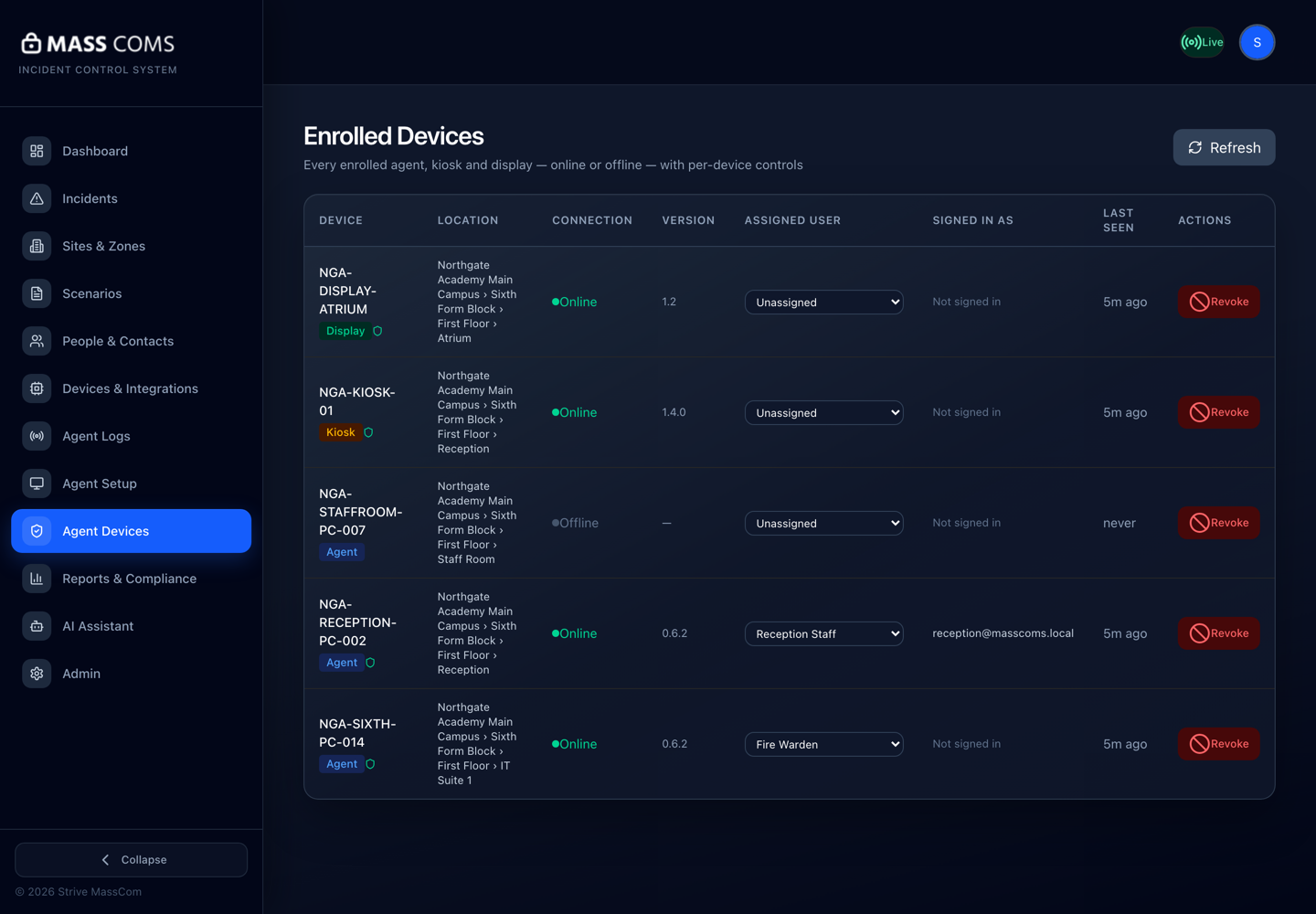
Agent Devices — Enrolled DevicesMassComs Agent Devices page listing enrolled agents, a kiosk and a display with connection state and last seen. - 03
Check the geometry the drill will rely on
If your drill involves exit routes, preview routes from a handful of rooms in the target zone before the day. A route that fails during a drill is indistinguishable to participants from a route that would fail in a real event.
Verify after any building work. Routes do not re-check themselves against a changed building.
- 04
Decide the incident type deliberately
Use TEST for anything where surprise is not the point. Use a real type only when everyone in scope has been told, and only when you specifically want to test the full sensory response — sirens, takeover, PA.
Whichever you choose, record why. A drill record that says which type was used and why is stronger evidence than one that only says a drill happened.
- 05
Brief the participants and the observers
Tell participants what will happen and what you want them to do. Separately, brief observers on what to watch: who did not receive it, who did not acknowledge, which screens stayed on the wrong content, which rooms went the wrong way.
- 06
Run it, and hold the observation
Trigger the drill and stay on the incident view. Watch acknowledgements arrive in real time — the gaps are the finding. Resolve with an authorised all-clear when the exercise is over.
- 07
Review the record while it is fresh
Open the resolved incident in Reports and compare the timeline against what you observed. Discrepancies between what the system recorded and what you saw are worth more attention than either on its own.
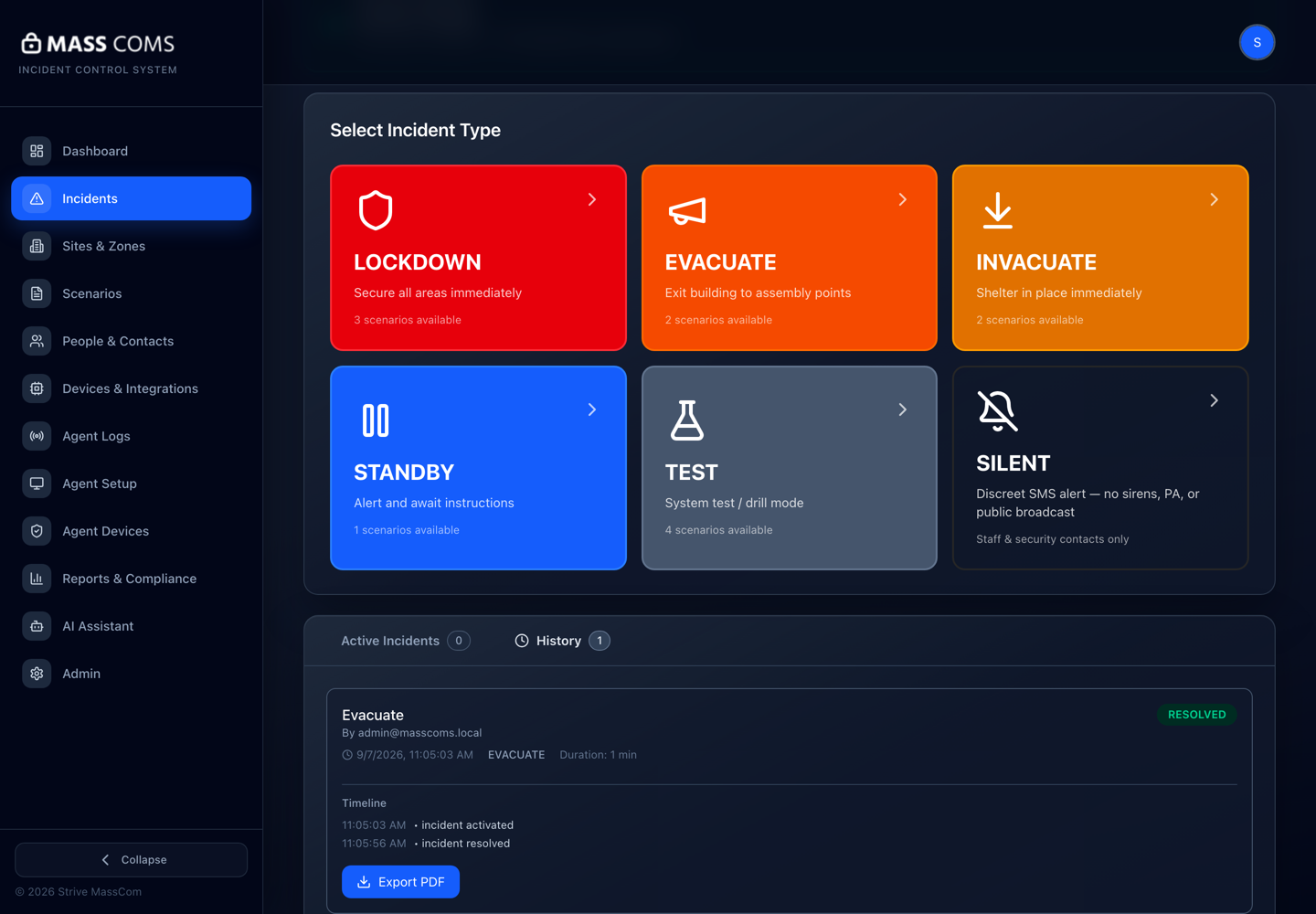
Incident timelineMassComs resolved incident showing its full timeline.
Troubleshooting
When it does not go to plan.
| Symptom | Usual cause | Fix |
|---|---|---|
| Several people never received the drill. | Notification permissions, or the people are not resolved into the target zone. | Check Fix missing mobile alerts for the permission side, and check that their rooms are assigned to the zone you targeted. |
| Acknowledgement rate is far lower than attendance. | Usually not a delivery failure — people saw it and did not know they were expected to acknowledge. | Add the acknowledgement action to the response steps text explicitly, and brief it before the next drill. |
Good to know
Small details that prevent big confusion.
- The first drill tests MassComs. The second tests your procedure. Do not conflate them.
- Drill records feed compliance evidence — see Manage training and drill records.
- Tell reception and any visitor kiosk hosts specifically. Visitors on site during an unannounced drill are a real safeguarding issue.
Was this guide clear?