
TEST is the type designed for exercises. It runs the whole delivery path — the same fan-out, the same acknowledgements, the same record — while being unambiguously a drill to everyone who receives it.
MassComs supports your organisation’s safety plan. It does not replace authorised instructions, trained judgement or emergency services.
Before you start
Have these ready.
- Everyone in scope told in advance.
- An approved scenario for the drill.
- Someone free to observe rather than participate.
- 01
Decide what this drill is testing
A drill without a hypothesis produces a certificate and no learning. Decide first: is this testing delivery, or the procedure, or people's familiarity with it?
- Testing delivery — narrow scope, watch which devices receive.
- Testing procedure — full scope, watch what people do.
- Testing familiarity — realistic timing, minimal warning within what is safe and agreed.
- 02
Trigger with the TEST type
From the dashboard select TEST, or from mobile use Mark as Drill (test scenario). Both produce a drill-flagged incident.
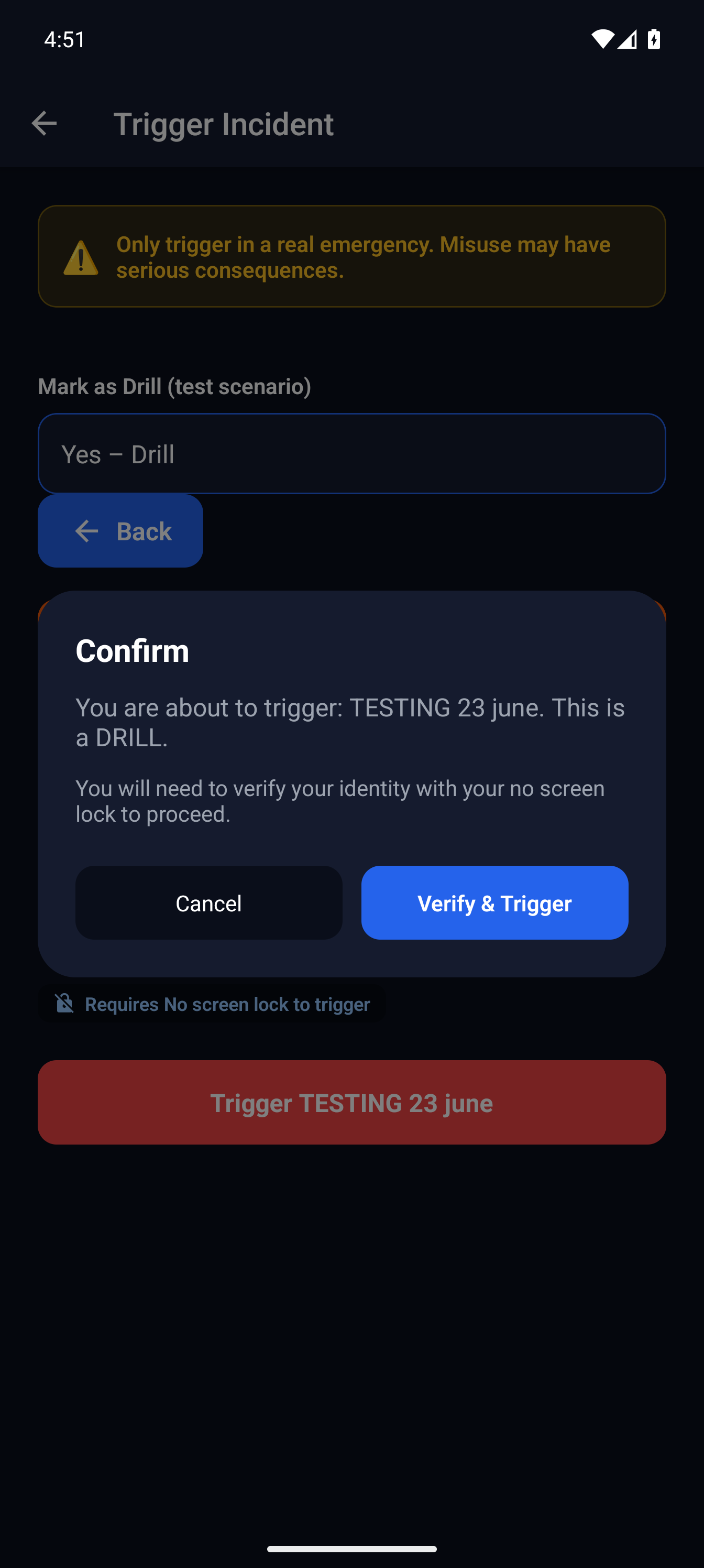
Drill confirmation on mobileMassComs mobile app confirming a drill before triggering. - 03
Observe rather than participate
Have at least one person whose only job is to watch the incident view: who received, who acknowledged, which zones went quiet, which screens did not change.
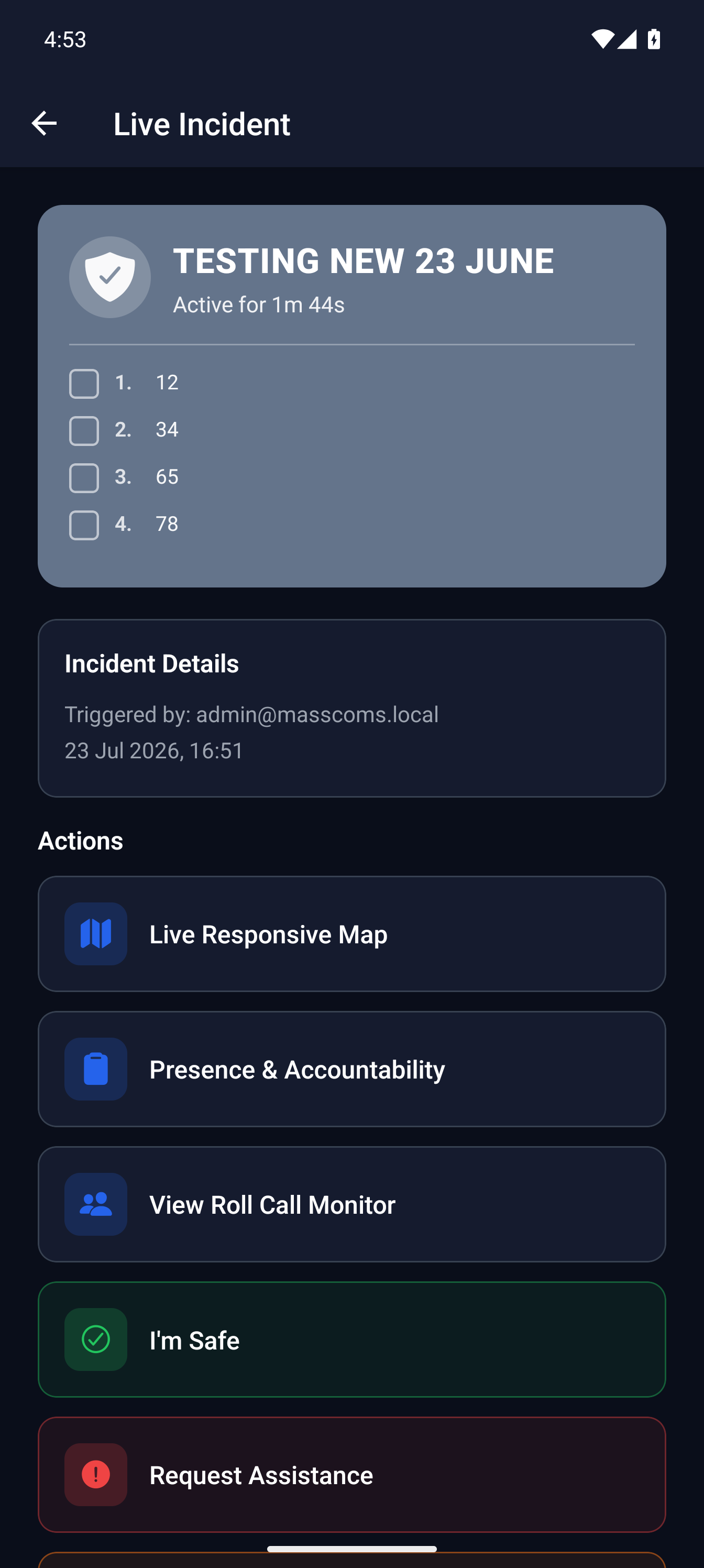
Active drill on mobileMassComs mobile app during an active drill. - 04
Resolve it properly
End the drill with a normal all-clear, including the confirmation. Practising the resolution is part of practising the response.
A Test / Drill scenario sends no All Clear notification — devices simply return to normal. Announce the end of the drill verbally as usual, and practise that too.
- 05
Review the drill record
Drills appear in the incident history alongside real events, with their full timeline. The mobile app also keeps a test and drill history.
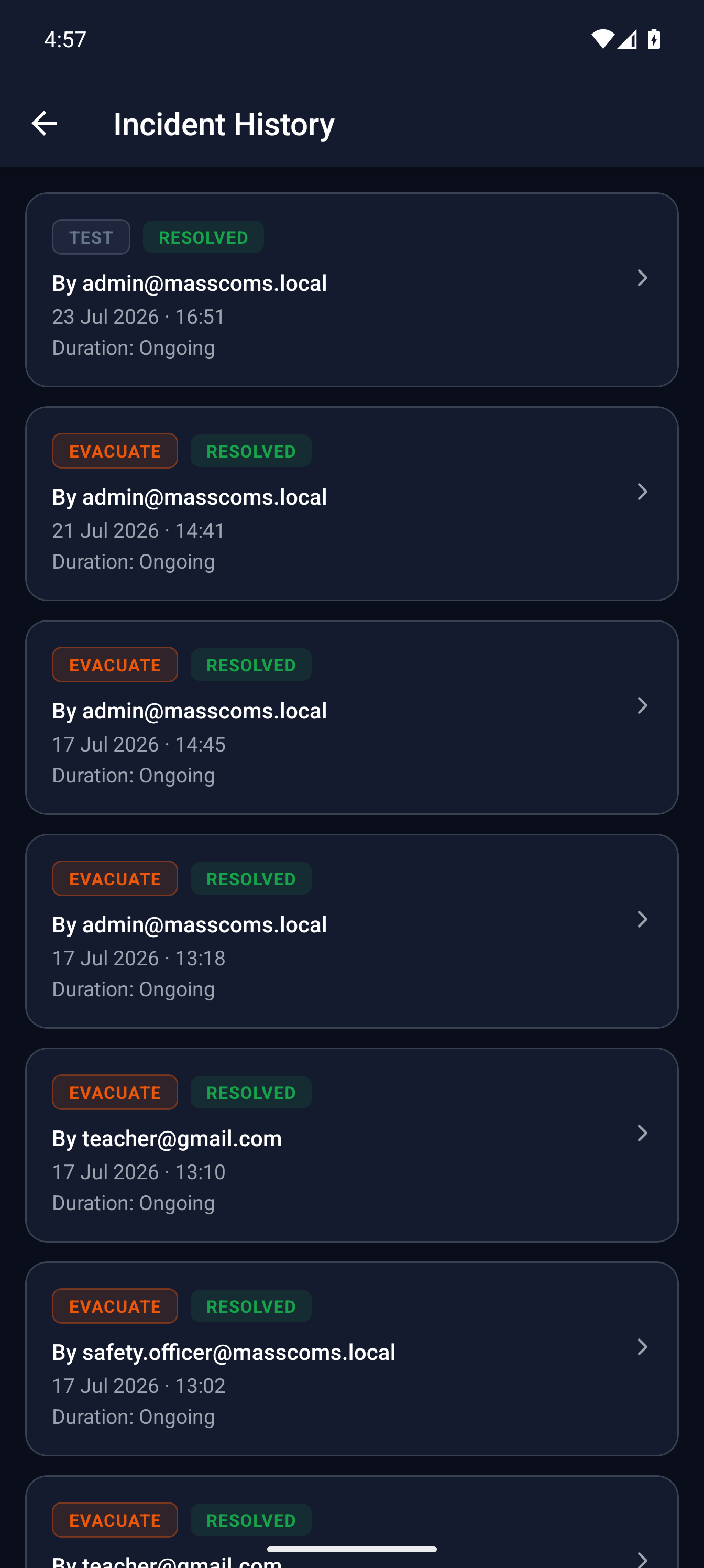
Test and drill historyMassComs mobile app showing test and drill history. - 06
Write down the findings, not just the fact
A drill record that says a drill happened is weak evidence. One that says what was tested, what failed and what changed as a result is strong evidence and is also genuinely useful.
See Manage training and drill records for how these feed compliance evidence.
Troubleshooting
When it does not go to plan.
| Symptom | Usual cause | Fix |
|---|---|---|
| Staff treated the drill as real. | The scenario text did not identify it as a drill. | Say it is a drill in the first sentence of the response steps for TEST scenarios. The type flag alone is not always visible at a glance. |
| The drill did not reach a whole area. | Coverage gap — no devices, or rooms not in the targeted zone. | That is the drill working. Record it as a finding and fix the underlying zone or device coverage. |
Good to know
Small details that prevent big confusion.
- TEST exercises the same code path as a real activation. That is exactly why it is worth running.
- Run the first drill in a quiet period, then repeat at a realistic time once it works.
- Never rehearse with LOCKDOWN or EVACUATE. Teaching people that a real type might be practice is the worst outcome available.
Was this guide clear?