
Every incident produces a record whether you look at it or not. Reports is where that record becomes useful — as evidence for an auditor, and as a source of the improvements that stop the same thing happening twice.
Before you start
Have these ready.
- The reports.generate permission.
- At least one resolved incident or drill.
- 01
Open Reports
Reports holds incident reports, compliance status, drill records, training records and evidence exports — described in the product as auto-generated evidence for decision-makers and auditors.
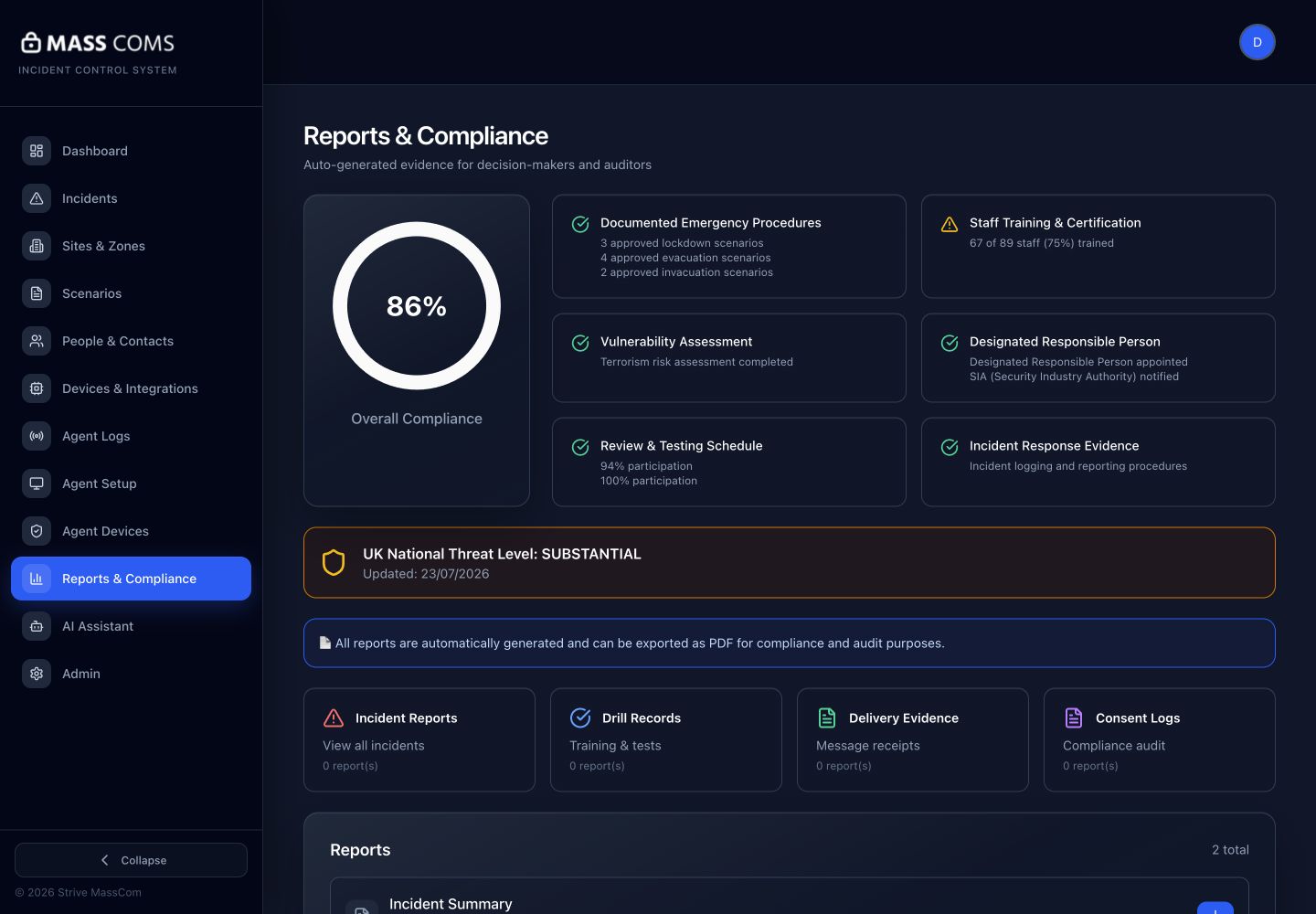
Reports and complianceMassComs reports and compliance screen. - 02
Read the incident timeline
Open a resolved incident and read its timeline: activation, who triggered it, delivery, acknowledgements, status changes and resolution.
The timeline is the objective record. Read it against what people remember — the differences are where the learning is.
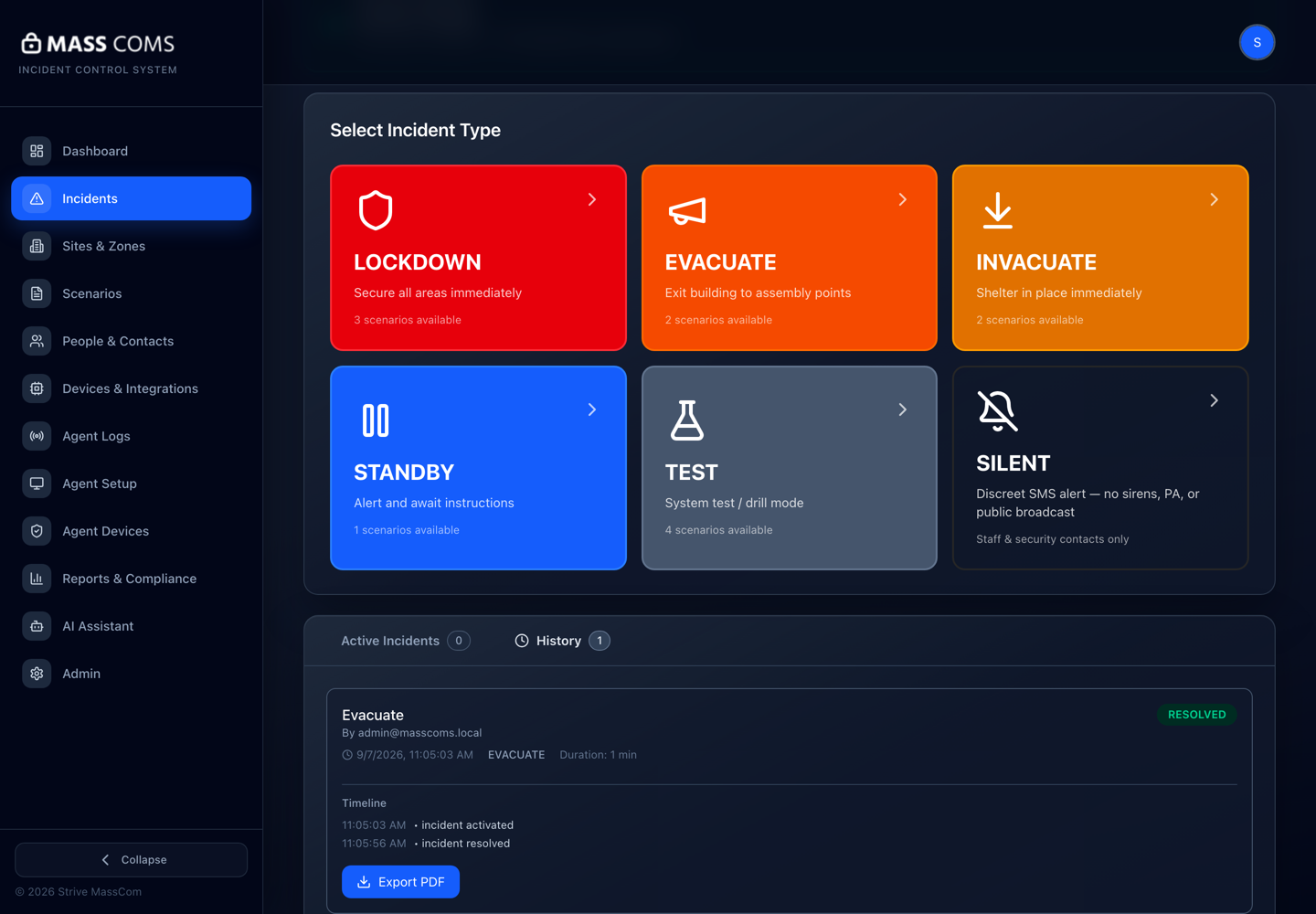
Incident timelineMassComs resolved incident showing its complete timeline. - 03
Read the delivery evidence
Delivery evidence shows what was actually sent and to what. This is the part that answers "did it reach people?" as opposed to "did we activate?".
Confirm it workedDelivery counts are consistent with the number of devices and people you expected to be in scope.
- 04
Investigate the gaps
Look specifically for zones with no acknowledgements, devices that did not receive, and people on the on-site roll who were never accounted for. Each gap has a cause worth fixing.
- Zone with no acknowledgements — check zone membership and device coverage.
- Device did not receive — check its status and location.
- Person not accounted for — check their record, scope and channels.
- 05
Export for the right audience
Different exports serve different purposes. A compliance pack for a submission is not the same document as an internal debrief.
Field or control What it does Incident report One event, with its timeline and delivery evidence. Compliance report The organisation's compliance status against its duties. Compliance Pack Export The full pack, intended for formal submission. Exports contain personal data. Handle and share them accordingly, and prefer the narrowest export that answers the question.
- 06
Close the loop
A report read and filed changes nothing. Turn each finding into a specific change — a zone reassigned, a device replaced, a scenario reworded — and record that you did.
Troubleshooting
When it does not go to plan.
| Symptom | Usual cause | Fix |
|---|---|---|
| An incident is missing from the list. | Filters — date range or site scope. | Widen the filters. Site-scoped users see only their own site's incidents. |
| The timeline is thinner than expected. | Devices that were offline recorded nothing. | That absence is itself the finding. Check the device fleet against the incident's scope. |
| Reports is not in the navigation. | The role does not hold reports.generate. | Fire Warden and Reception Staff do not hold it. Ask a Safety Officer or Senior Leadership. |
Good to know
Small details that prevent big confusion.
- Drills produce the same record as real incidents, which is what makes them usable as evidence.
- The most valuable review happens within a day, while people still remember.
- A record showing a problem you then fixed is stronger evidence than a record showing no problems.
Was this guide clear?