
The compliance pack is the consolidated document you hand to somebody external. Generating it is easy; making sure it says something true is the work.
Before you start
Have these ready.
- Compliance requirements worked through.
- A completed risk assessment.
- Drill and training records in place.
- 01
Check the underlying records first
The pack assembles what you have recorded. Generating it before the records are complete produces a document that documents an incomplete state.
- Compliance requirements — statuses current and honest.
- Risk assessment — completed, with a review date in the future.
- Drill records — recent, with findings.
- Training records — current for the people who need them.
- Incident reports — resolved incidents with complete timelines.
- 02
Generate the pack
Use the compliance pack export to produce the full document intended for formal submission.
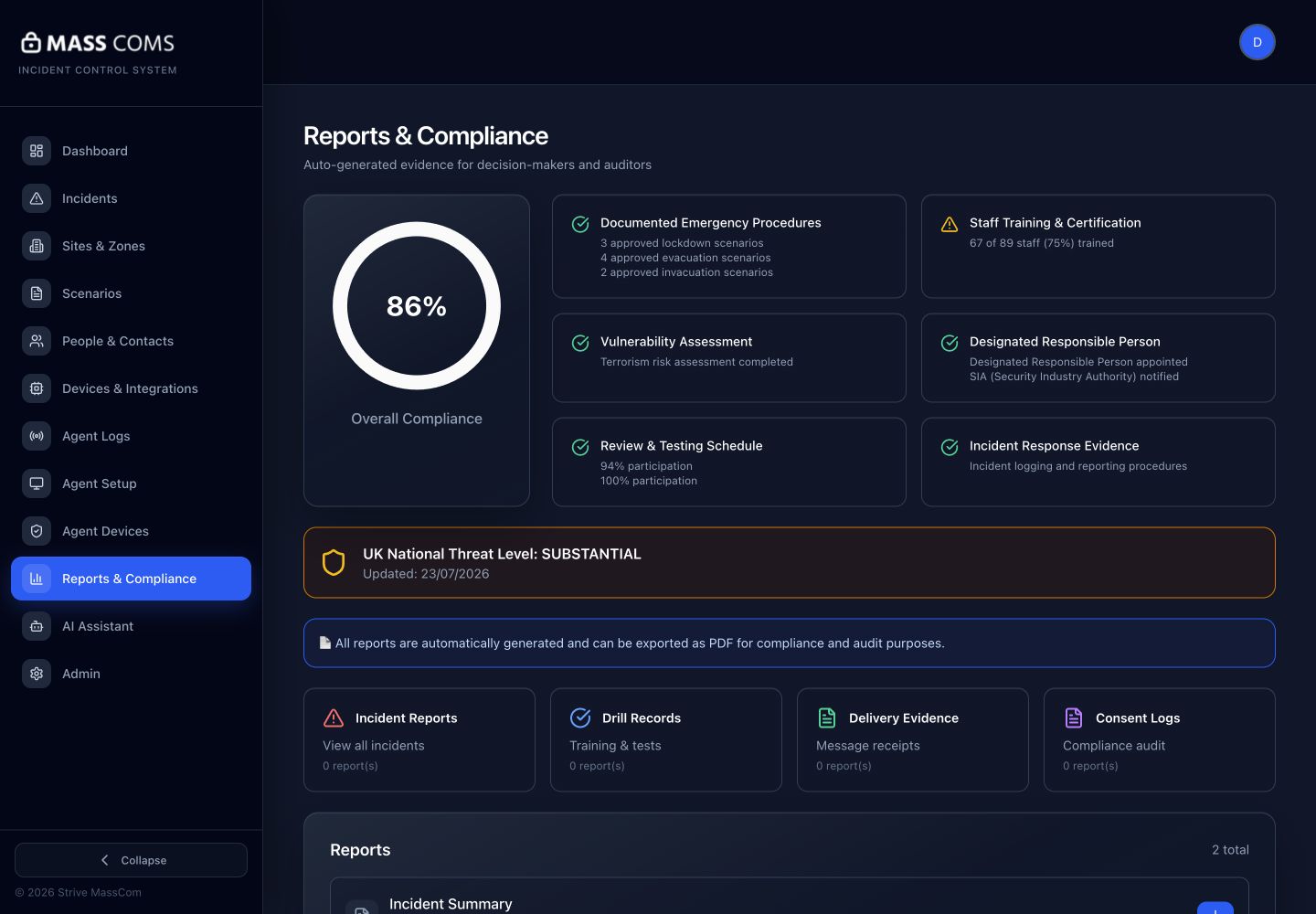
Reports and complianceMassComs reports and compliance screen with export options. - 03
Read it before you send it
Read the generated document end to end. It is assembled from your data and will faithfully reproduce anything wrong in it.
Confirm it workedNames, dates, the responsible person and the capacity figure are all correct in the generated document.
- 04
Handle it appropriately
The pack contains personal data and security-sensitive detail including threat areas and mitigations. Share it only with the intended recipient, by an appropriate route.
A compliance pack in a shared drive or an unencrypted email is itself a security problem. Treat it as a controlled document.
- 05
Keep a record of what you sent and when
Record which version went to whom and on what date. The next submission is much easier when you can see what the last one said.
Troubleshooting
When it does not go to plan.
| Symptom | Usual cause | Fix |
|---|---|---|
| The pack is missing sections. | The underlying records are empty. | Complete the records rather than editing the output. |
| Export is unavailable. | The role lacks reports.generate or compliance.manage. | Ask a Safety Officer, Senior Leadership or Super Admin. |
Good to know
Small details that prevent big confusion.
- The pack is a mirror. Improving it means improving the records behind it.
- It is security-sensitive. Control distribution deliberately.
- Generate one early, even when incomplete, to see what is missing while there is time to fix it.
Was this guide clear?