
MassComs includes a compliance area built around the Protect Duty (Terrorism) Act 2025, Standard Tier. It tracks the requirements, records who is responsible, and shows what is outstanding — so the evidence exists before somebody asks for it.
Before you start
Have these ready.
- The compliance.manage permission.
- A named Designated Responsible Person with their job title and designation date.
- Your premises details, including capacity and category.
- 01
Open the compliance area
Martyn's Law Compliance shows overall compliance status, the requirement list with priorities, and the completion state of each item.
Requirements are marked by priority and by whether they are required by law, so the list tells you what to do first rather than presenting everything as equal.
- 02
Record the premises details
Complete the address, capacity and category. Capacity in particular determines which tier of duty applies to you — the compliance header names the organisation and its tier — so it is not a cosmetic field.
Field or control What it does Address The premises the duty applies to. Capacity The number of people the premises can hold. This drives the tier and therefore the duties. Category The premises type under the Act. - 03
Name the Designated Responsible Person
This block is marked Required by Law. Record the person's full name, job title, email and phone. It is a named accountability, not an administrative field.
Field or control What it does Full Name The individual who holds the duty. Job Title Their role, as it would appear in a formal submission. Email A monitored address — this is a contact of record. Phone A number reachable outside office hours. Keep it current. A responsible person who has left is a compliance failure that is trivially visible to an inspector.
- 04
Deal with the SIA notification
The compliance screen tracks SIA Notification Status separately, and states the deadline: notification is required within 12 weeks of Protect Duty commencement. Until it is done the status reads Not yet notified.
There is a Notify SIA action alongside it, and an Export for SIA Submission that produces the document to accompany it. Do the notification as a deliberate task with a date, not as something you assume happened.
This is a statutory deadline, not a product reminder. Diarise it outside MassComs as well.
- 05
Work through the Standard Tier requirements checklist
The checklist tracks each requirement as Complete, In Progress or Incomplete, with a priority, and rolls them into an Overall Compliance Status with counts against each state. Work by priority and by whether an item is Required by Law.
Confirm it workedThe overall compliance status reflects reality rather than optimism. An honest amber is more useful than a false green.
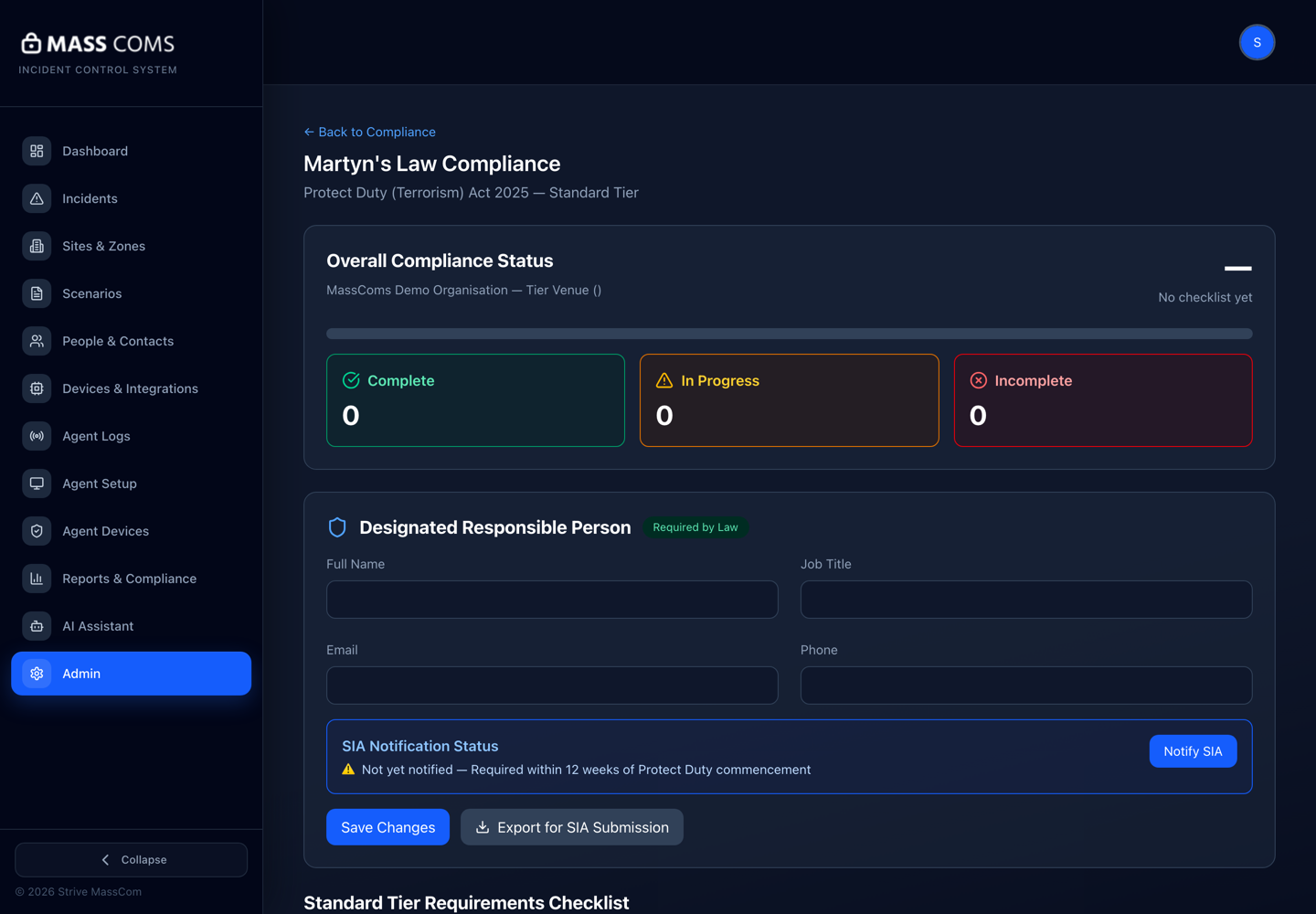
Martyn's Law complianceMassComs Martyn's Law Compliance screen showing overall status, the designated responsible person block and SIA notification status. - 06
Use the ProtectUK guidance
The compliance area links out to ProtectUK resources and templates. Use them rather than drafting from scratch — they are the reference the duty is assessed against.
- 07
Connect the evidence
Compliance is not a checklist in isolation. Your drills, incident records, risk assessment and training records are the evidence behind the ticks.
- Drill records — evidence that procedures are exercised.
- Incident timelines — evidence that the response works.
- Risk assessment — evidence that threats were considered.
- Training records — evidence that people know what to do.
- 08
Generate the security plan report
Generate Security Plan Report produces the consolidated compliance document from what you have recorded.
The document is only as good as the underlying records. Generating it is a check on your data as much as an output.
Troubleshooting
When it does not go to plan.
| Symptom | Usual cause | Fix |
|---|---|---|
| Could not load compliance data. | Usually connectivity or permission. | Confirm the role holds compliance.manage. Fire Warden and Reception Staff do not. |
| Compliance status seems stuck. | Requirements marked In Progress indefinitely. | In Progress is a state, not a resting place. Set a review date on each and close them out. |
Good to know
Small details that prevent big confusion.
- MassComs helps you record and evidence your duties. It does not discharge them — that remains with your organisation and the designated responsible person.
- Capacity determines the tier. Get it right before working through the requirements.
- An inspector will ask for evidence, not for a status page. The evidence is your drills, records and risk assessment.
Was this guide clear?