
The risk assessment is where the compliance record stops being administrative and starts being about your actual building. It is also the document most likely to be read closely by someone external.
Before you start
Have these ready.
- The compliance.manage permission.
- Someone competent to assess — this is a judgement exercise, not a form-filling one.
- Floorplans, so threat areas can be recorded against real geometry.
- 01
Open the risk assessment
The terrorism risk assessment records who assessed, when, the assessment categories from ProtectUK guidance, and a threat level overview.
Field or control What it does Assessed By The competent person who carried out the assessment. Assessment Date When it was carried out. Next Review Date (Annual) When it must be revisited. Set it, and diarise it outside the system too. 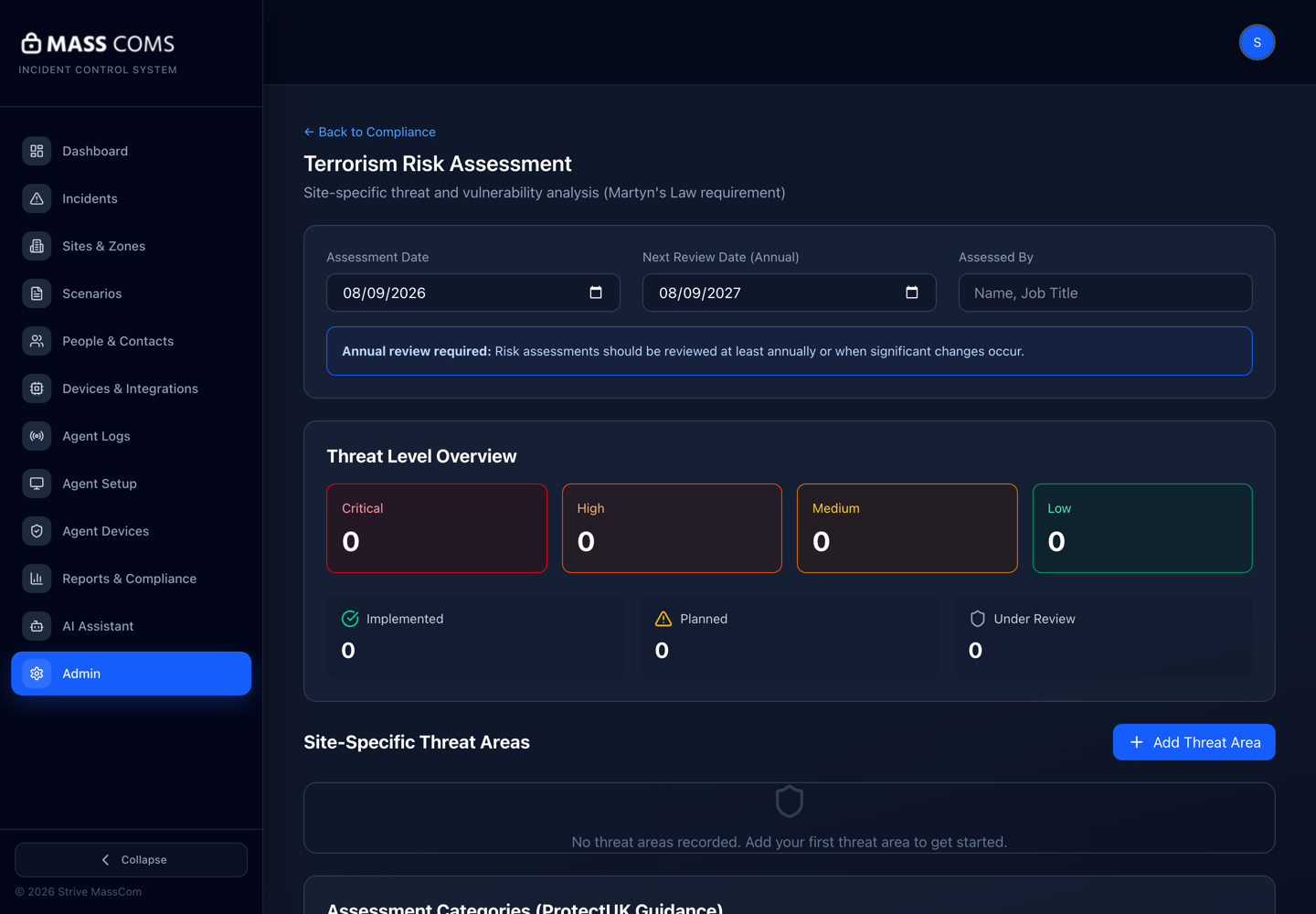
Terrorism risk assessmentMassComs terrorism risk assessment screen showing assessment categories, threat areas and mitigation status. - 02
Work through the assessment categories
The categories follow ProtectUK guidance. Assess each honestly — an assessment that finds nothing is not a good assessment, it is an unfinished one.
- 03
Record site-specific threat areas
Threat areas are the parts of your premises with specific vulnerability. They can be recorded with a threat level and, importantly, against a floor plan image so the location is unambiguous.
Recording a threat area against the plan is far more useful than describing it in prose. It also connects the assessment to the same geometry your evacuation routes use.
Threat area detail is sensitive. Control who can see the assessment and be careful about what ends up in widely shared exports.
- 04
Record mitigation measures
For each threat area, record the protection measure category under the Act, the mitigation measures themselves, and how they reduce vulnerability or risk of harm.
Field or control What it does Protection Measure Category (Act s.6) The category of measure under the legislation. Mitigation Measures The specific measures, one per line. Mitigation Status Implemented or Planned. Be honest — planned is a legitimate state. - 05
Set threat levels realistically
Threat levels run from low to critical. A document where everything is critical conveys no information and a document where nothing is conveys no assessment.
- 06
Diarise the review
Set the Next Review Date and treat it as a commitment. An assessment past its review date is a visible failure.
Confirm it workedEvery threat area has a mitigation, a status and a review date, and the overall assessment has a next review date in the future.
Troubleshooting
When it does not go to plan.
| Symptom | Usual cause | Fix |
|---|---|---|
| No threat areas recorded. | The assessment was started and not completed. | An assessment with no threat areas is not an assessment. Complete it with someone competent. |
| Mitigations are all Planned. | Nothing has been implemented yet. | That is a legitimate starting state. Give each planned measure an owner and a date so the next review shows movement. |
Good to know
Small details that prevent big confusion.
- This document is where an external reviewer will look first for evidence of genuine thought.
- Recording threat areas against floorplans connects the assessment to your operational geometry.
- An honest assessment showing open risks with owners is stronger than a tidy one showing none.
Was this guide clear?