
During an incident the kiosk stops being a sign-in desk and becomes an information display and a source of truth about who is in the building.
MassComs supports your organisation’s safety plan. It does not replace authorised instructions, trained judgement or emergency services.
Before you start
Have these ready.
- A provisioned, connected kiosk.
- 01
What the kiosk shows
The kiosk switches to an emergency display showing the incident type and message, replacing the welcome screen.
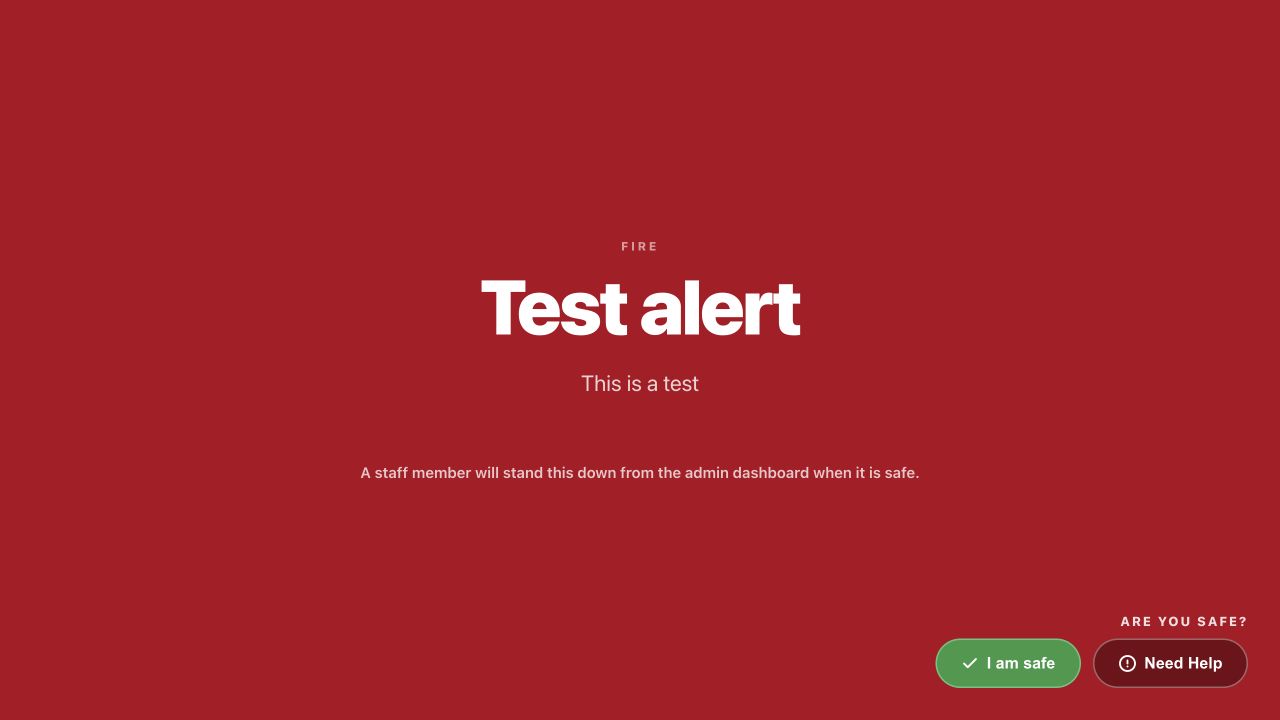
Kiosk emergency overlayMassComs visitor kiosk showing its emergency overlay during an incident. - 02
What it contributes
The kiosk's on-site roll — staff and visitors both — is what responders use to know who should be accounted for. It appears on the dashboard during the incident as the on-site view.
An incident raised through an on-site controller can even carry a roll-call snapshot with it, so the account starts from the moment the alarm was raised rather than from when someone thought to look.
- 03
What reception should do
Follow the response plan like everyone else, and take the visitor information with you if your procedure says so. Reception often holds the only knowledge of who arrived in the last ten minutes.
Do not stay at the desk to manage the kiosk during an evacuation. The data is already in the platform.
- 04
After the all-clear
When the incident is resolved, the kiosk plays the scenario's All Clear announcement and shows its All Clear message for the configured display duration, then returns to its welcome screen. Reconcile anyone who was signed in but not accounted for while it is still fresh.
Troubleshooting
When it does not go to plan.
| Symptom | Usual cause | Fix |
|---|---|---|
| The kiosk did not enter emergency mode. | It is offline, or its location is not in the targeted zone. | Check its connection and location assignment. |
| The on-site list is obviously wrong during an incident. | Sign-out discipline. | Use it as an over-estimate and account for people physically. Fix the discipline afterwards. |
Good to know
Small details that prevent big confusion.
- The kiosk is often the most useful device in the building during an evacuation, and reception rarely knows that.
- Brief reception staff specifically on emergency mode — they are the people standing next to it.
- Visitors on site during a drill need to be told it is a drill. That is a reception job.
Was this guide clear?