
Zones decide who an incident reaches. Assembly points decide where those people are sent. Both are attached in the floorplan builder, and both fail quietly rather than loudly when they are incomplete.
MassComs supports your organisation’s safety plan. It does not replace authorised instructions, trained judgement or emergency services.
Before you start
Have these ready.
- A traced floor with rooms corrected and named.
- An agreed zone design — see Create a site and zone structure.
- The real, agreed muster locations for the site.
- 01
Create the zones
Use Manage zones, then New zone. The panel states the model plainly: each zone groups rooms that share one evacuation plan, and during a fire everyone in a zone is directed to that zone's assembly point — on emergency screens, in room previews, and on assigned devices in those rooms.
Give zones names that read clearly on a phone screen. Zone A is fine if that is what your procedure says, but Sixth Form Block, First Floor is better if it is not.
On a freshly traced floor the panel reads No zones yet — click New zone to create one, or use Suggest zones for AI grouping. Rooms exist; zones do not, until you make them.
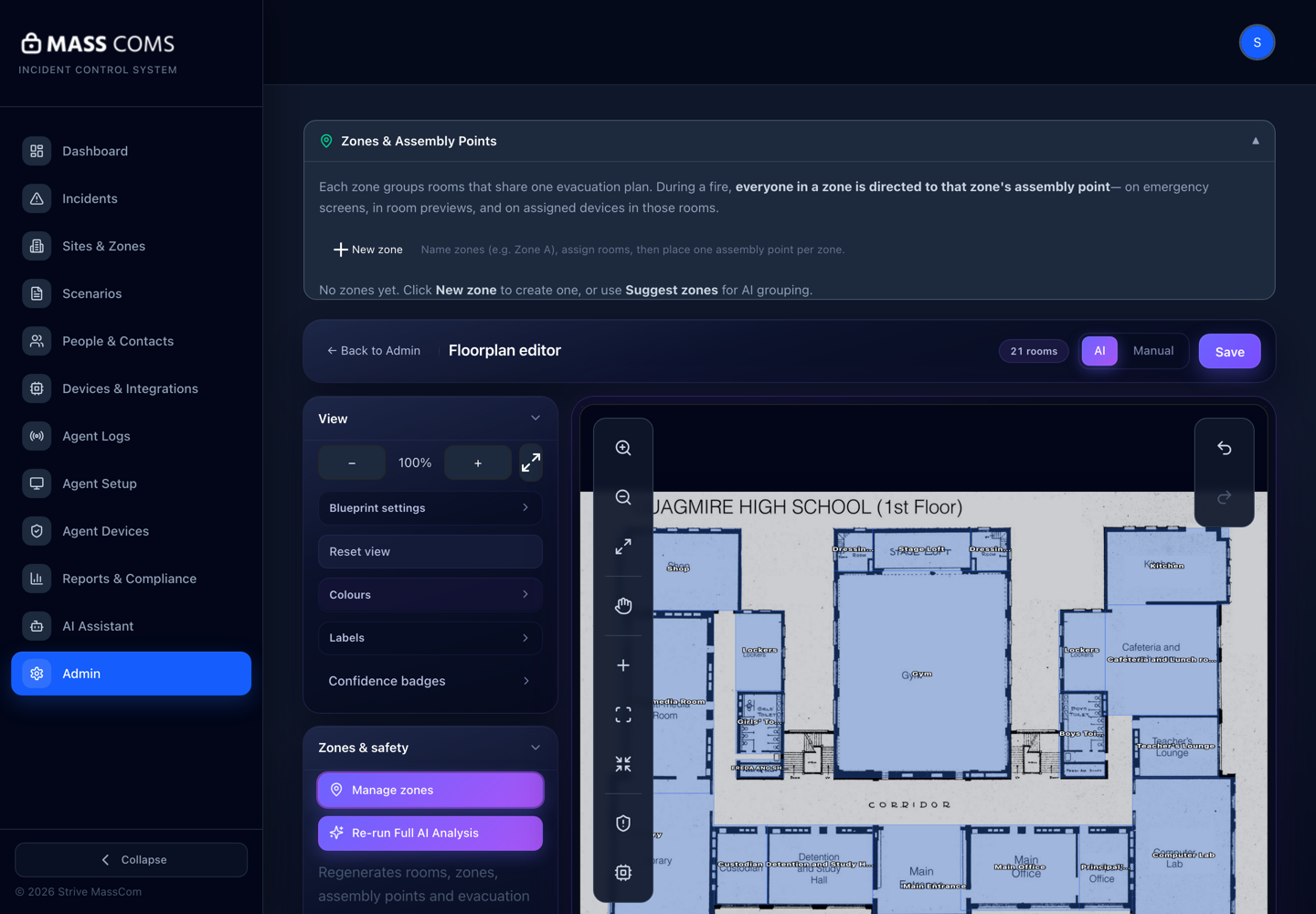
Zones and assembly pointsMassComs zones and assembly points panel explaining that each zone groups rooms sharing one evacuation plan. - 02
Assign rooms to zones
Select a zone, then assign its rooms. The panel shows Rooms in this zone as you go, and rooms that belong to no zone appear as Not in a zone.
Work zone by zone rather than room by room. It is much easier to notice that a zone is missing a room you expected than to notice that one room out of two hundred has no zone.
Rooms in no zone are excluded from zone-scoped incidents without any error. Treat the Not in a zone list as a defect list that must reach zero.
Confirm it workedNot in a zone is empty when you finish.
- 03
Create assembly points
Assembly points are managed as muster points for evacuation zones. Create one per real-world muster location, with a description that identifies it unambiguously to someone standing outside.
The description matters more than the name. "Assembly Point 2" means nothing in the dark; "Far end of the main car park, by the bike shelter" means something.
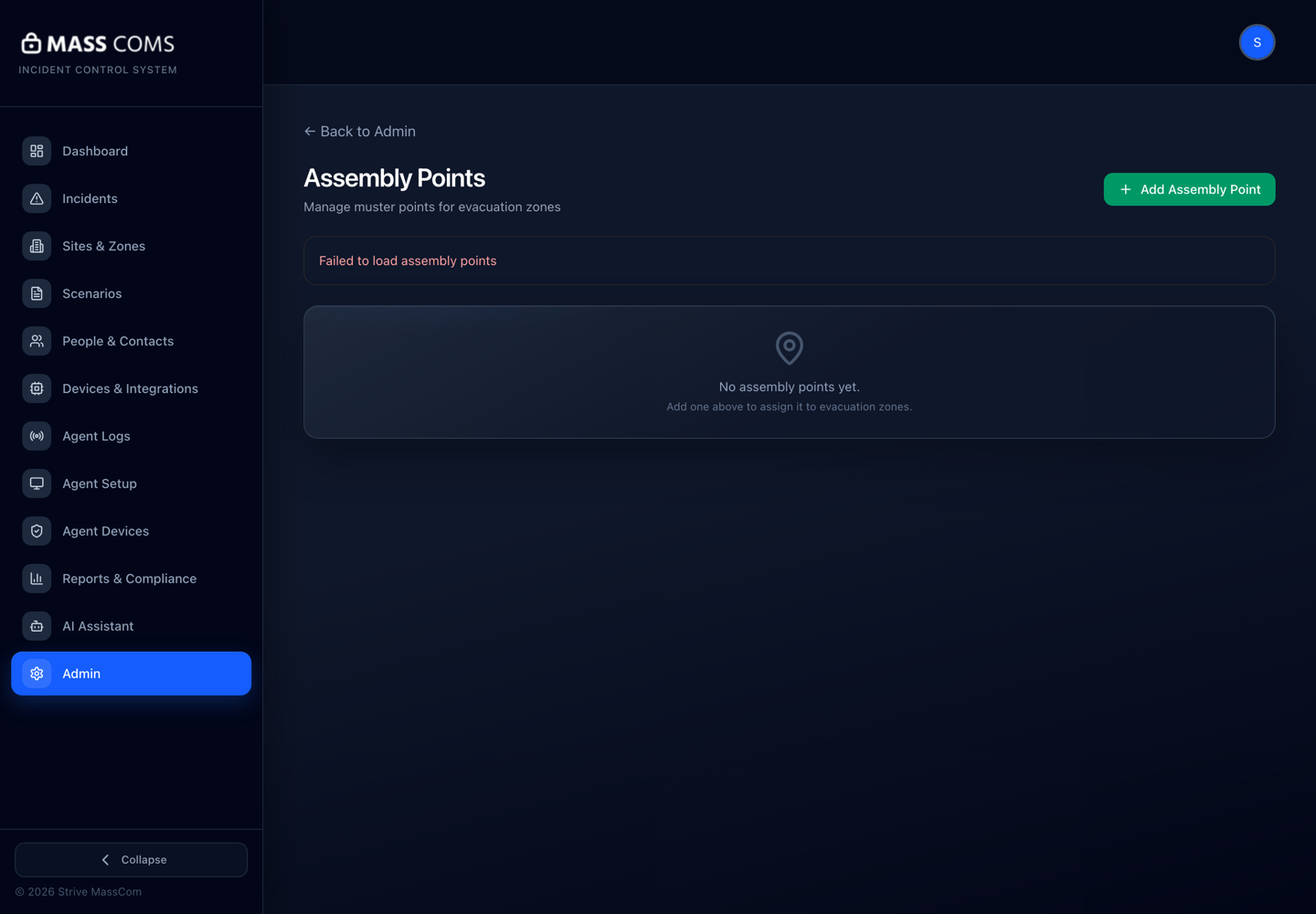
Assembly pointsMassComs assembly points screen for managing muster points for evacuation zones. - 04
Attach assembly points to zones
Edit the assembly point and set Zones this point covers. One assembly point can cover several zones, and Individual spaces this point covers lets you attach it to specific rooms where a zone-level answer would be wrong.
Field or control What it does Zones this point covers The zones whose occupants muster here. Individual spaces this point covers Room-level overrides, for spaces whose procedure differs from the rest of their zone. Instructions Text shown with the assembly point — route context, gate codes, who to report to. Marker colour How the point is drawn on the plan and on the direction map. A zone showing Zone has no assembly point set cannot resolve a muster destination for anyone in it, and the mobile app will show No assembly point resolved yet.
- 05
Check both gap lists before you finish
Two checks close out this work: no room shows Not in a zone, and no zone shows Zone has no assembly point set. Both are visible in the builder and neither will be reported to you later.
Confirm it workedPreview a route from a room in each zone and confirm it arrives at the assembly point you intended, with its instructions attached.
Troubleshooting
When it does not go to plan.
| Symptom | Usual cause | Fix |
|---|---|---|
| Assigning a room to a zone is unavailable. | No zone is selected — the builder shows Select a zone first. | Select the zone in the zones panel, then assign rooms into it. |
| The app shows No assembly point resolved yet during a drill. | The person's room is in a zone with no assembly point, or in no zone at all. | Attach an assembly point to that zone, or assign the room to a zone that has one. |
| Two zones send people to the same crowded point. | Both zones were attached to a single assembly point by default. | Create a second point and split the coverage. Capacity at the muster location is a real constraint the software cannot see. |
Good to know
Small details that prevent big confusion.
- Assembly points belong to zones, not rooms — which is why an unzoned room can never resolve one.
- Instructions attached to an assembly point are shown to people arriving there. Use them for the practical detail nobody remembers.
- Re-check zone membership after any re-trace. New room records are not automatically in the zones the old ones were.
Was this guide clear?