
Audio reaches people who are not looking at anything. MassComs supports both prepared announcements — recorded or synthesised — and live speech during an incident.
MassComs supports your organisation’s safety plan. It does not replace authorised instructions, trained judgement or emergency services.
Before you start
Have these ready.
- Audio output configured: Agents with working sound, or an integrated PA through the on-site controller.
- For text-to-speech, network access to the speech provider.
- 01
Create a voice announcement
Voice announcements are created with a name, an announcement type and either uploaded audio or text to synthesise. Types align with the incident types — Evacuation, Lockdown, Invacuation, Medical Emergency, All Clear, Test/Drill.
Field or control What it does Announcement Name How you will find it later. Name the situation. Announcement Type Evacuation, Lockdown, Invacuation, Medical Emergency, All Clear or Test/Drill. Recorded Audio Upload MP3, WAV or M4A, up to 10 MB. Text-to-Speech Convert message text to natural voice. Preview before saving — synthesised pronunciation of building names is frequently wrong. 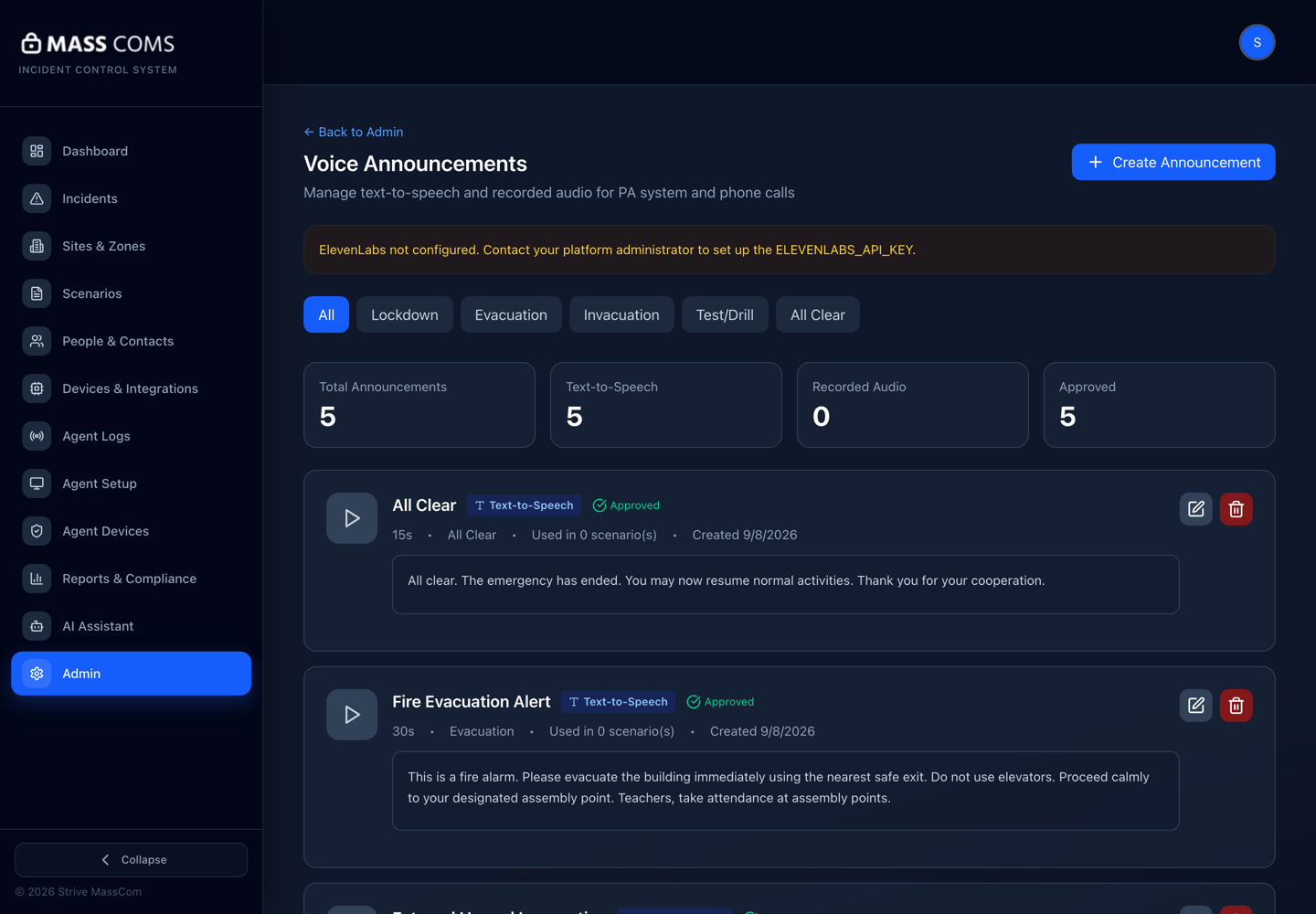
Voice announcementsMassComs voice announcements screen for creating recorded or text-to-speech announcements. - 02
Choose recorded audio or synthesis deliberately
A recording in a familiar voice is more likely to be obeyed and never fails at the moment of use. Synthesis is faster to produce and easy to change.
The practical compromise most organisations reach: record the handful of announcements you would use in a real emergency, and synthesise the rest.
Text-to-speech depends on an external provider being reachable. If your network filters by domain, api.elevenlabs.io must be allowlisted or synthesis will fail.
- 03
Preview before approving
Use Preview Text-to-Speech and listen to the whole thing. Check site names, building names and any abbreviation — synthesised speech reads Block C as one thing and CDT as another.
Confirm it workedPlay the announcement through an actual Agent speaker at the volume it will be used at, not through headphones at a desk.
- 04
Approve the announcement
Announcements carry an approved state, the same principle as scenarios: prepared audio that will be broadcast to a whole site should be reviewed before it can be used.
- 05
Attach announcements to scenarios
In the scenario wizard, Audio Announcements on the Channels step selects what plays on kiosk and Agent displays at activation, and the Axis Audio PA System section selects what plays on the PA. The Rules step can repeat it automatically at an interval. The All Clear step selects the announcement that plays when the scenario is stood down, how many times, and for how long the message stays on screen.
The All Clear announcement type exists for exactly that last setting. Leave the scenario's All Clear step blank to fall back to the organisation's default.
- 06
Use live PA during an incident
Live PA lets an authorised responder speak through connected audio in real time, from the dashboard or the mobile app. Use it for the things a prepared announcement cannot cover — specific instructions, updates, reassurance.
Prepared announcements handle the predictable; live PA handles everything else. Most incidents need both.
- 07
Test the audio path before you need it
Audio has more ways to fail silently than any other channel: muted machines, missing output devices, disconnected amplifiers, filtered synthesis. Test at real volume in the real space.
See Fix Agent audio or connection problems for the per-machine checks.
Troubleshooting
When it does not go to plan.
| Symptom | Usual cause | Fix |
|---|---|---|
| Text-to-speech preview fails. | The speech provider is unreachable — usually domain filtering. | Allowlist api.elevenlabs.io at the network edge, or upload recorded audio instead. |
| The announcement plays on some Agents and not others. | Per-machine audio problems: muted, wrong output device, or the Agent not running. | See Fix Agent audio or connection problems. |
| Audio upload rejected. | Wrong format or over the size limit. | Use MP3, WAV or M4A under 10 MB. |
Good to know
Small details that prevent big confusion.
- Audio is the only channel that reaches someone whose eyes are elsewhere. It deserves more testing than it usually gets.
- A familiar recorded voice carries authority that synthesis does not.
- Volume set for a quiet office is inaudible in a full hall. Test in the real space at the real time of day.
Was this guide clear?