
These two routes cover the cases where a phone or a browser is not available: a member of staff at a fixed machine, and a physical button that must work without anyone touching software.
MassComs supports your organisation’s safety plan. It does not replace authorised instructions, trained judgement or emergency services.
Before you start
Have these ready.
- For the Agent route: an installed, enrolled Agent assigned to a site and room.
- For the controller route: a configured on-site controller and someone able to integrate against it.
- 01
The Agent route — a signed-in person at a known machine
Staff with dashboard accounts sign in through the Agent's tray icon. Doing so promotes that machine to an active LAN controller, which enables local incident triggering and All Clear from the tray — and, critically, does so without internet.
This is the coverage that closes the gap in rooms where staff do not carry phones and there is no time to reach a dashboard — teaching spaces, workshops, reception desks, labs.
The offline capability is the part worth planning around. If your connection to the cloud fails during an incident, a promoted Agent on the local network can still raise and stand down an incident for the devices it can reach. That is a meaningfully different resilience story from a browser or a phone.
This is optional and per-machine. Decide deliberately which machines should be promotable — a controller in reception is sensible, one in a public computer room may not be.
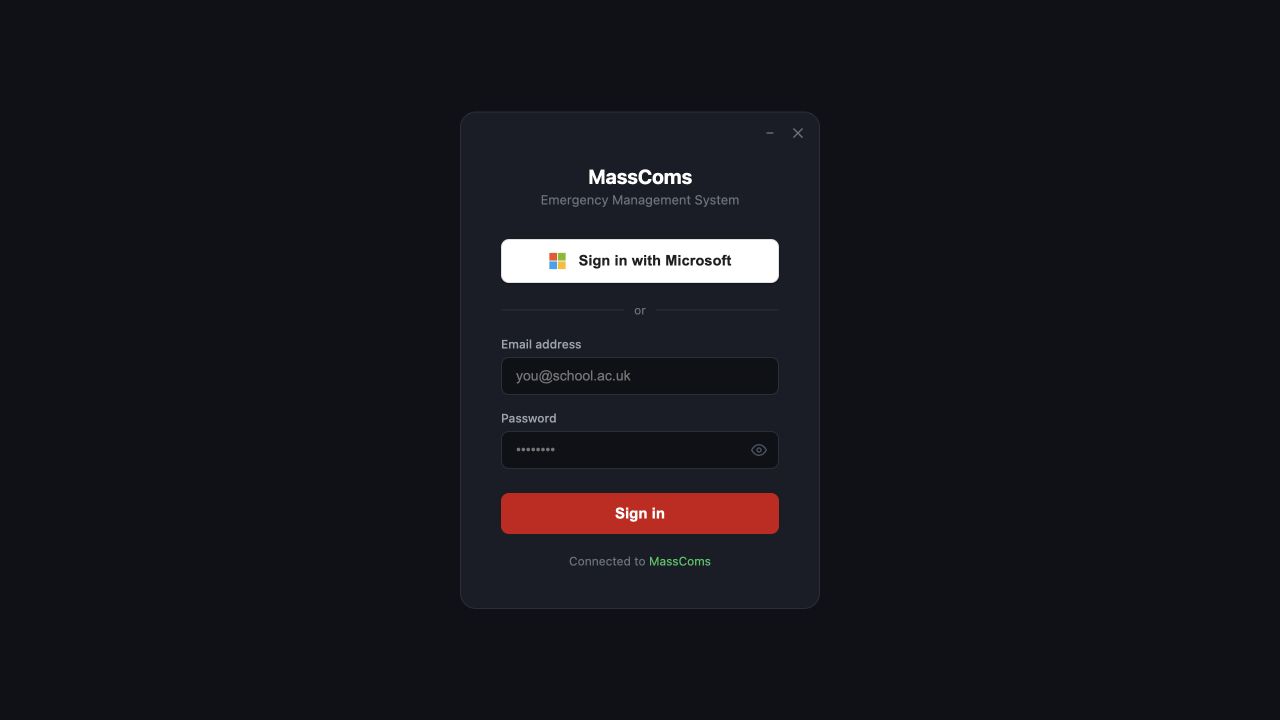
Agent staff sign-inMassComs Agent sign-in window with Microsoft and email options. - 02
Make sure the Agent knows where it is
An Agent with no location assignment can still raise an incident, but loses the advantage of the route. Assign every Agent to its site, building, floor and room.
See Assign an Agent to a site and room for the full procedure.
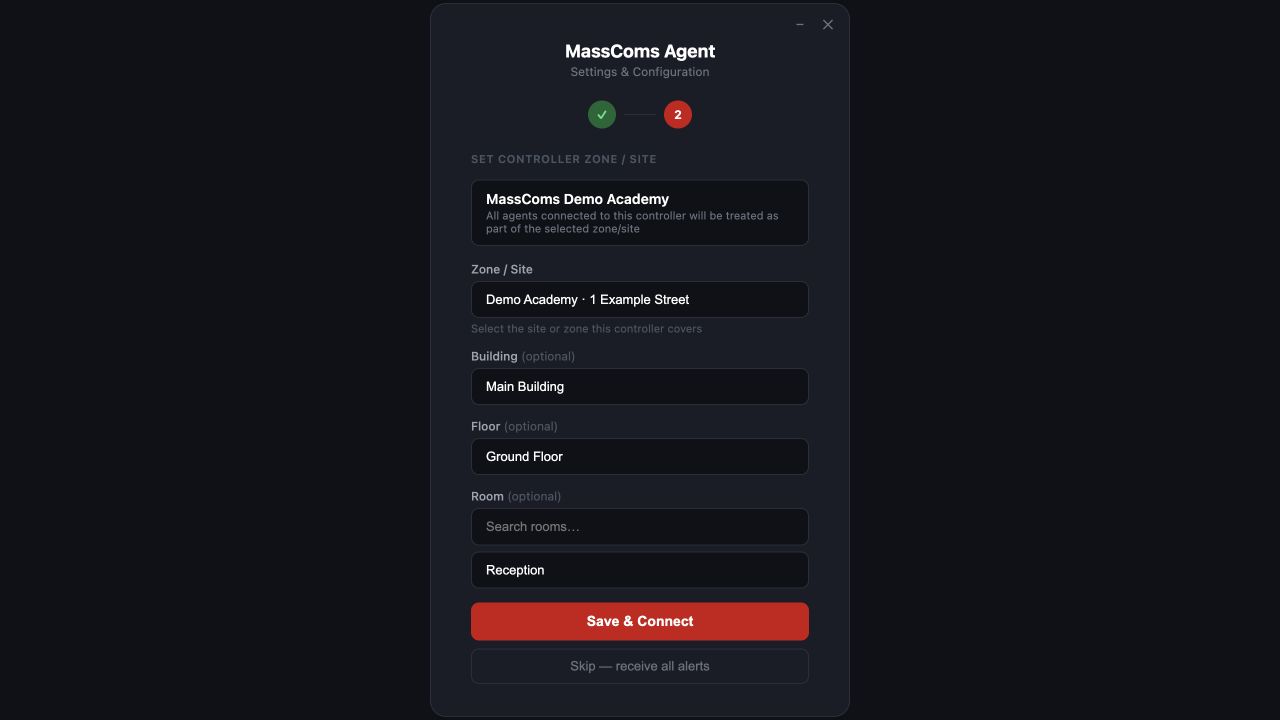
Agent location assignmentMassComs Agent location assignment screen showing site, building, floor and room. - 03
The controller route — machine to machine
The on-site controller posts an activation to the platform's controller endpoint. It authenticates with the organisation's connector secret in a request header rather than a user session, because there is no user session at a panel.
Field or control What it does incidentType Which of the six types the physical event maps to. triggeredBy Name and email of the responsible person or system, optionally a MassComs user id — validated as an active member of the organisation. scenarioId Optional. Attaches an approved response plan to the hardware-raised incident. siteId / siteName / controllerId Where the event came from. id A client-authored identifier that makes retries idempotent — the same id will not create a second incident. kioskRollCall Optional snapshot of who was signed in, so a hardware-raised incident can still arrive with an on-site list. - 04
Design the integration for retries
Controllers live on networks that drop. Always send the same client-authored id when retrying an activation — this is exactly why the endpoint is idempotent on it.
An integration that generates a fresh id per attempt will create duplicate incidents during a network blip, splitting the response between two records at the worst possible moment.
- 05
Protect the connector secret
The connector secret is an organisation-wide credential that can raise incidents. It belongs on the controller, held as a secret, and nowhere else.
Never distribute the connector secret as a per-device credential when deploying Agents at scale. Use a distinct short-lived enrollment token per machine instead — see Deploy Agents at scale with Intune.
- 06
Open the network paths the controller needs
The cloud connection is outbound HTTPS only and usually needs no firewall change. The optional offline LAN controller feature additionally requires inbound TCP 47809 and UDP 47810 on Domain and Private network profiles.
If your network edge filters by domain, allowlist the dashboard domain plus masscoms.lon1.digitaloceanspaces.com, and api.elevenlabs.io if you use text-to-speech announcements.
- 07
Test the physical path end to end
Press the actual button, on the actual panel, and watch the incident appear. An integration verified only by a simulated API call has not been tested.
Confirm it workedThe incident appears with the expected type, the correct site and controller, and the triggering identity you configured.
Troubleshooting
When it does not go to plan.
| Symptom | Usual cause | Fix |
|---|---|---|
| The controller gets Invalid org token. | The connector secret is wrong, missing, or was rotated. | Re-copy it from Agent Setup → Agent Credentials on the dashboard and update the controller. |
| Duplicate incidents from one physical event. | Retries without a stable id. | Send the same client-authored id on every retry of the same event. |
| triggeredBy.userId is not an active member of this organisation. | The configured user id does not belong to an active member. | Use an active member's id, or omit the id and send name and email only. |
| The controller works locally but not from the cloud. | Outbound HTTPS is filtered by domain at the network edge. | Allowlist the dashboard domain and masscoms.lon1.digitaloceanspaces.com. |
Good to know
Small details that prevent big confusion.
- Controller activations can carry a roll-call snapshot, which is often the fastest accurate on-site list you will get.
- The Agent route is the only one that guarantees the location is right, because the machine cannot move.
- Every route produces the same incident record — hardware-raised incidents are not second-class.
Was this guide clear?