
Visitor registration serves two purposes at once: a badge that says this person is expected, and a record that puts them on the on-site roll if the building has to be emptied.
Before you start
Have these ready.
- A provisioned kiosk, and a working badge printer if you issue badges.
- 01
Choose Visitors on the welcome screen
The visitor path collects the details your organisation has configured for guests.
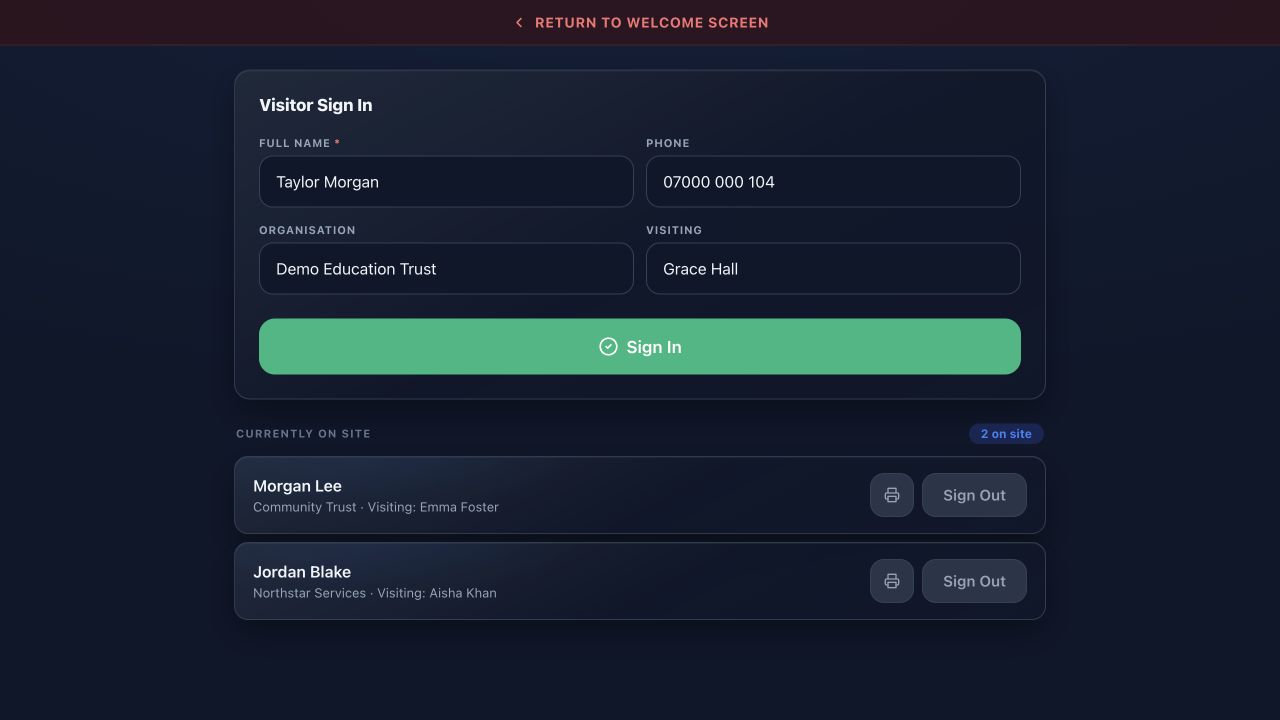
Visitor registrationMassComs visitor kiosk registration screen. - 02
Enter the visit details
Capture who they are, who they are visiting and why. Collect what your process actually needs and no more — this is personal data on a device in a public space.
If your organisation displays terms or a safeguarding notice at sign-in, that is part of the record too.
- 03
Confirm sign-in
Complete the sign-in. The visitor is now on the on-site roll and will appear in an emergency roll call.
Confirm it workedThe visitor appears in the kiosk's on-site list immediately.
- 04
Print and issue the badge
Print the badge and hand it over. A badge that identifies a visitor visually is a safeguarding control, not decoration.
- 05
Sign them out on the way past
Visitors are the group least likely to sign themselves out. Make it part of the reception handover when they return the badge.
A visitor left signed in overnight appears on the on-site roll for the next morning's incident.
Troubleshooting
When it does not go to plan.
| Symptom | Usual cause | Fix |
|---|---|---|
| The badge did not print. | Printer offline, out of media, or not configured. | See Configure the badge printer. Sign the visitor in regardless — the record matters more than the badge. |
| A visitor cannot complete registration. | A required field they cannot answer. | Reception can complete it on their behalf from the admin views. |
Good to know
Small details that prevent big confusion.
- The record is the safety-critical part. The badge is the visible part. Do not skip the record when the printer fails.
- Collect the minimum. Everything you capture, you are responsible for.
- Contractors on site for a day are visitors for roll-call purposes. Make sure they are registered.
Was this guide clear?