
A playlist is the loop a screen runs. Its two real decisions are order and duration, and both are usually got wrong in the same direction — too many items, too fast.
Before you start
Have these ready.
- At least one saved asset.
- A paired screen to assign to.
- 01
Create the playlist and add assets
Open Playlists, create one, and add the assets it should include.
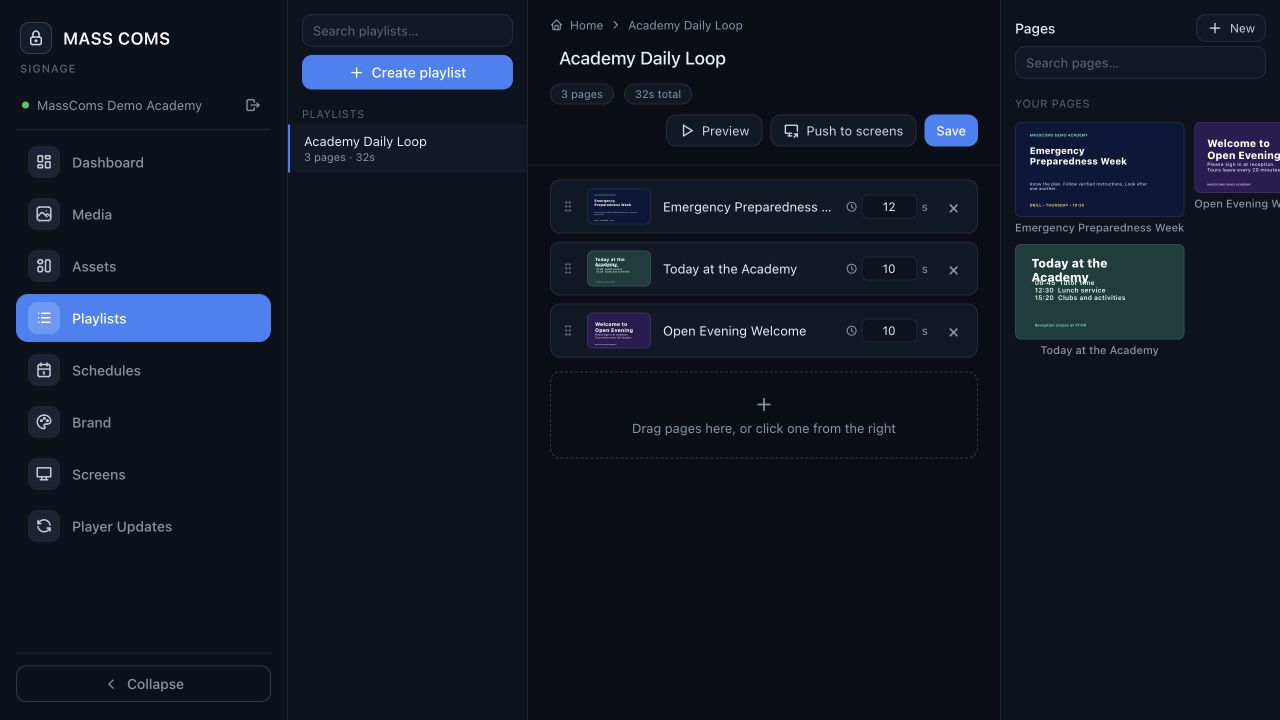
Playlist workspaceMassComs signage playlist workspace with assets in order. - 02
Set the order
Order matters more on a loop than it does in a document, because most people see one or two items rather than the whole cycle. Put the item that must be seen first.
- 03
Set durations people can read
Give each item long enough to be read from a standing start by someone who did not know it was coming. That is almost always longer than it feels while you are editing.
- A short notice needs several seconds, not two.
- A dense item needs longer, or should be split.
- A shorter loop seen fully beats a longer loop seen in fragments.
- 04
Assign to screens
Assign the playlist to the screens it belongs on. Different areas usually want different loops — reception and a staff corridor have different audiences.
Confirm it workedThe assigned screens pick up the playlist and cycle through it in the order you set.
Troubleshooting
When it does not go to plan.
| Symptom | Usual cause | Fix |
|---|---|---|
| One item never seems to appear. | The loop is long and its slot is short. | Shorten the loop or lengthen that item. Loop length is the constraint people forget. |
| The playlist changed but screens did not. | The screen has not refreshed, or a schedule is overriding it. | Check the schedule for that screen and time window. |
Good to know
Small details that prevent big confusion.
- Fewer items, longer durations. Almost every playlist improves under that edit.
- Playlists are reusable across screens — build one good one rather than several near-duplicates.
- Emergency takeover interrupts any playlist immediately, whatever its schedule.
Was this guide clear?